
The short version
The Core i3-1215U Beelink EQi12 is more convincing as a small, quiet home server than as a performance desktop. Its six-core, eight-thread Alder Lake processor, 16GB of DDR4 memory, Intel integrated graphics and low wall power are a practical match for file sharing, Jellyfin, Docker services and light databases. Beelink officially specifies two Gigabit Ethernet ports, and both Realtek controllers in our unit delivered performance consistent with that specification.
Our review unit sustained near-line-rate gigabit transfers, completed verified 50GiB storage tests, ran nginx, PostgreSQL and Redis together without errors, and used Intel Quick Sync for two simultaneous 4K60-to-1080p60 transcodes at real-time speed. It then completed five normal restarts, five shutdown Wake-on-LAN cycles, three simulated AC-loss recoveries and about 12.57 hours of monitored service operation.
The weaknesses were equally repeatable. One of four USB-A paths stayed near 39–43MiB/s while the others were much faster. Sleep-state Wake-on-LAN worked four times out of five rather than every time. Two retail units also arrived with Windows installations sharing the same Machine SID prefix. That is evidence of an imaging-quality problem, not proof that the SID itself caused a failure; a clean installation is the clearest correction for already-deployed units.
Verdict: the EQi12 is a good Windows-first home server, media server or light self-hosting node when gigabit networking is sufficient. Verify the USB port used for fast storage, reinstall unknown OEM images before multi-node use, and prefer shutdown WOL or AC recovery over S3 sleep for unattended operation.
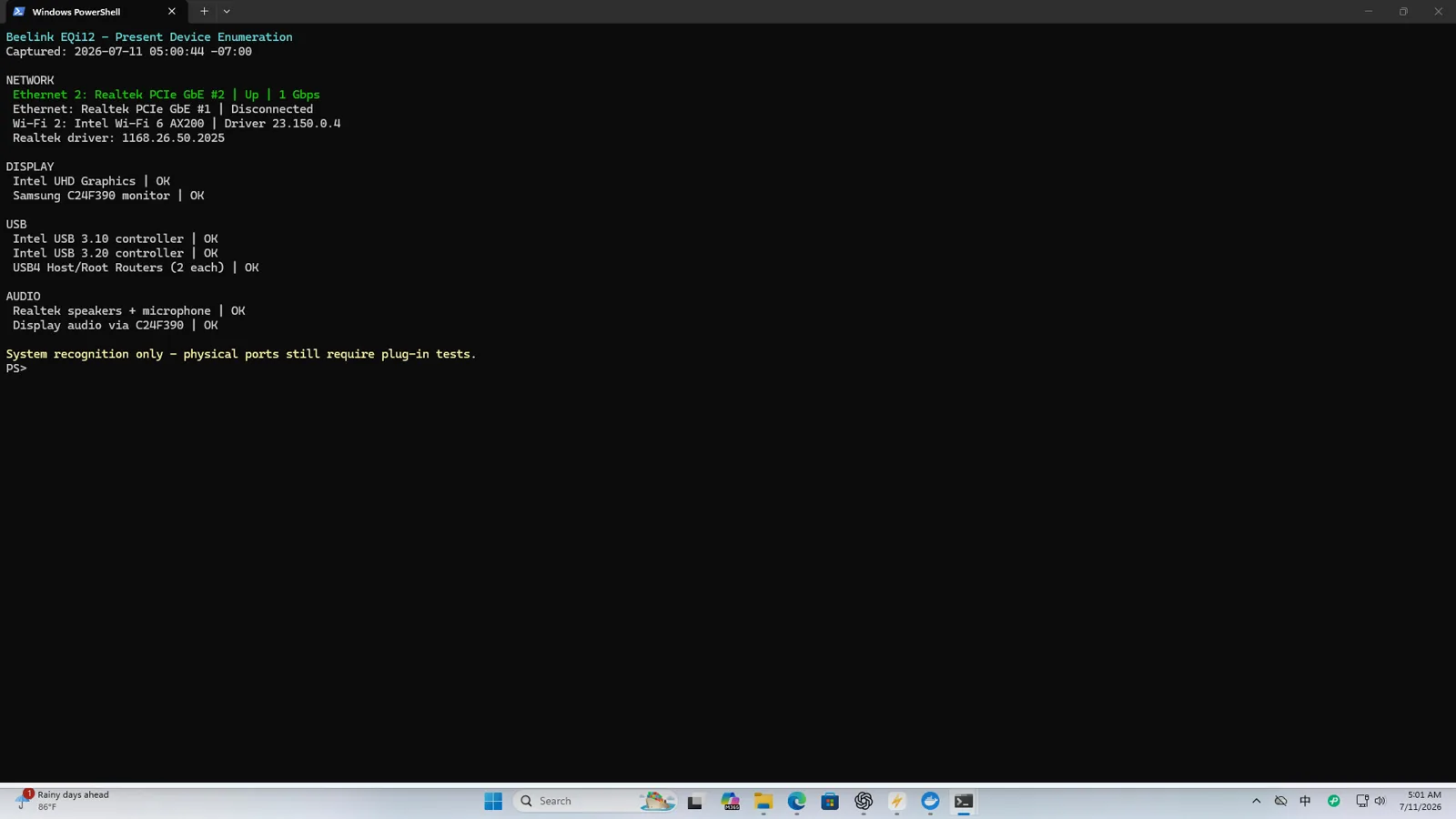
How we tested it
This review combines Windows 11 measurements, an Ubuntu Live hardware check, physical power and thermal observations, application logs and repeated recovery cycles. It is not assembled from a specification sheet. The raw archive contains phone photos, screen captures, terminal output, CSV logs, hashes and videos; the images on this page are a smaller editorial selection.
The main test stack consisted of native Windows Jellyfin 10.11.11 plus WSL2 and Docker Desktop running nginx, PostgreSQL 17, Redis 8 and a separate Jellyfin container. Network tests used both Ethernet ports, the Intel AX200 Wi-Fi adapter and an independent Honor laptop for SMB transfers. Storage tests used sustained files large enough to move beyond a brief cache burst and paired important transfers with SHA-256 verification.
Repeated tests were used where one screenshot would be weak evidence: both Ethernet directions, all four USB-A ports, three retests of the slow USB path, five reboot cycles, five shutdown WOL cycles, five S3 WOL cycles and three AC-loss recovery cycles. When a test method was wrong, its result was rejected rather than blended into the final number. The nginx benchmark, for example, was rerun with an asynchronous client after the first synchronous runner starved its own thread pool.
Design, ports and installation
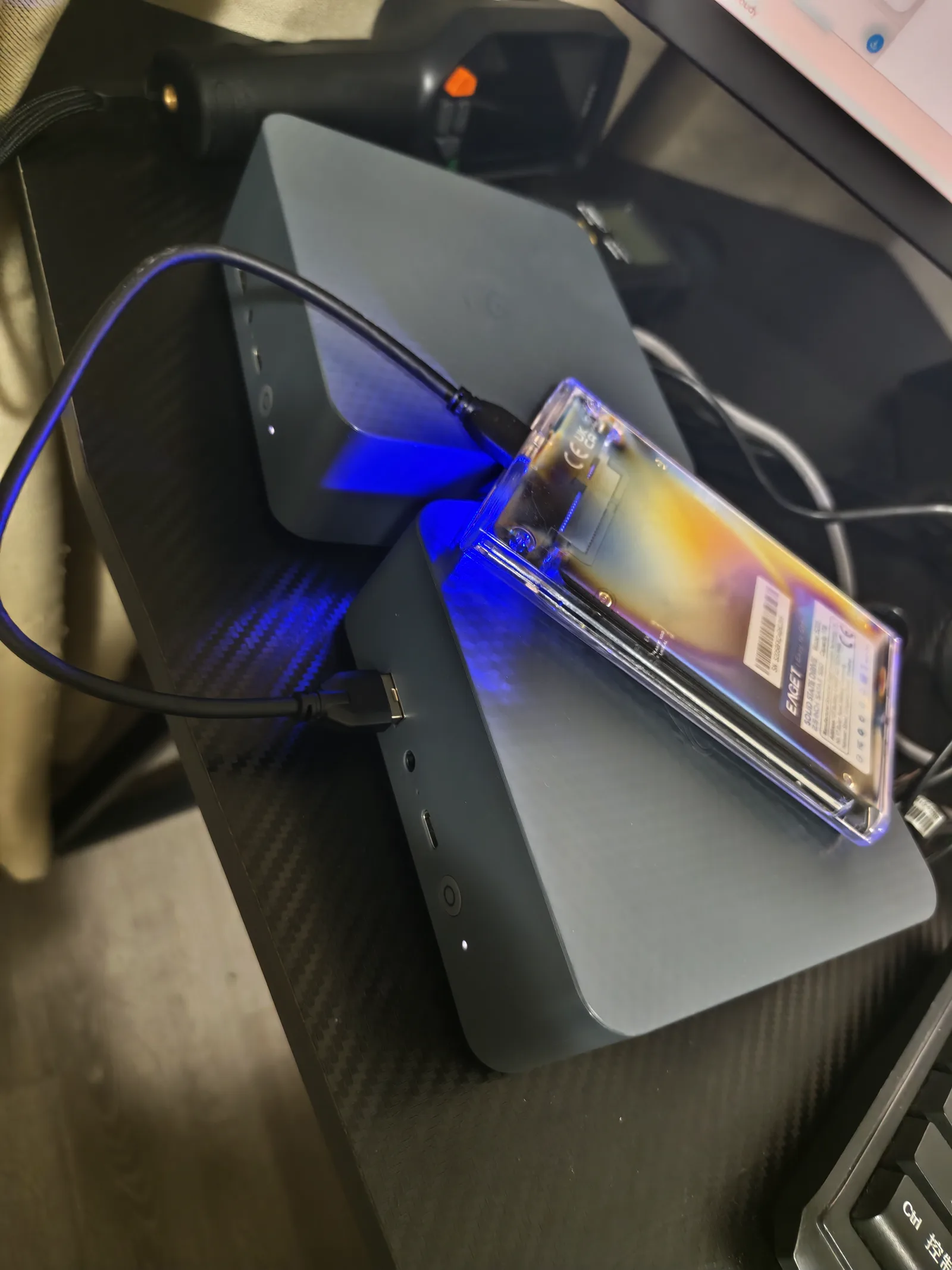
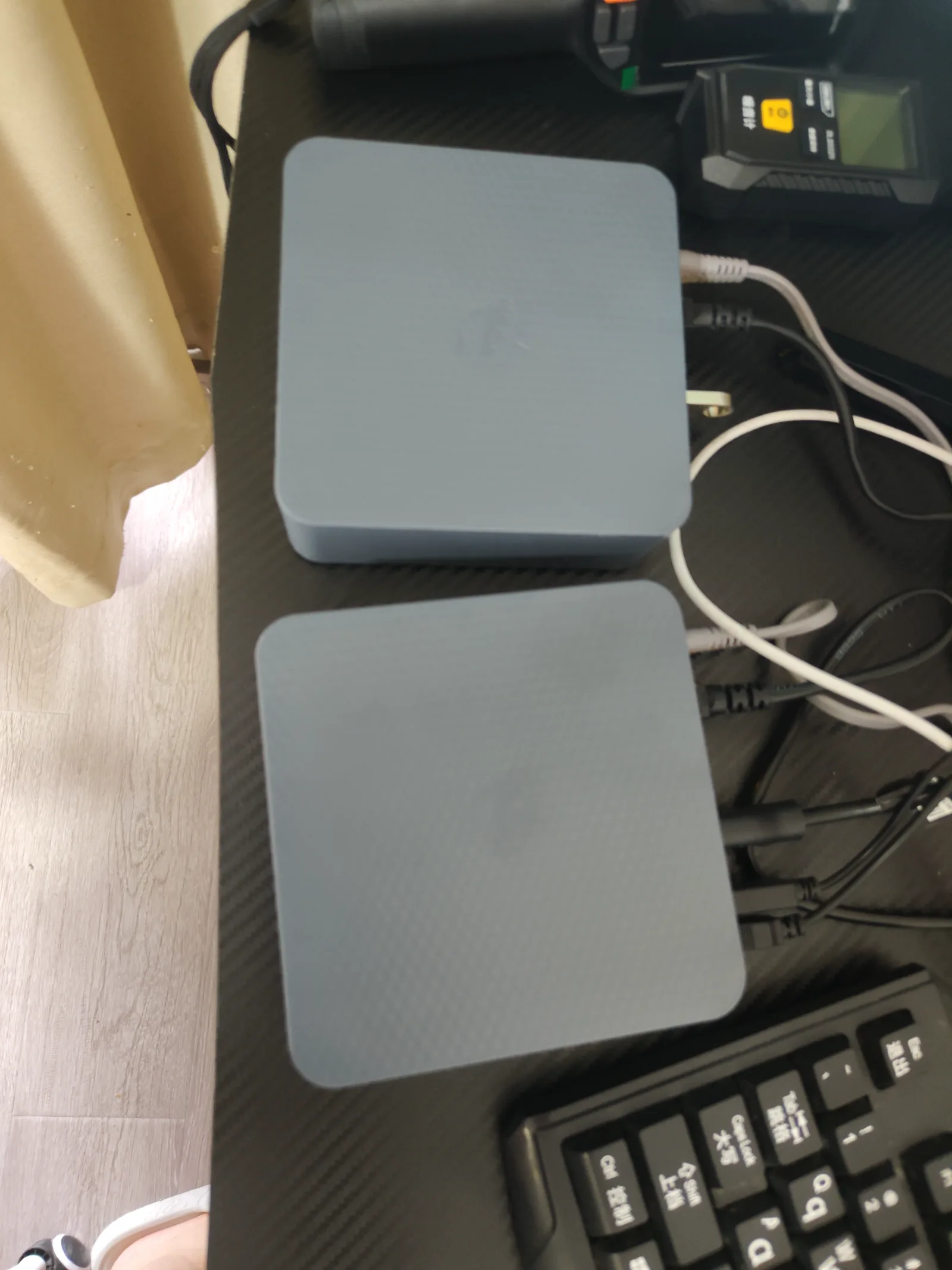
The EQi12 is small enough to sit beside a router, monitor or external SSD without becoming the dominant object on the desk. The photo archive includes all six sides, the label, power connection, Ethernet cabling, external-drive setup and size comparisons. We did not open the chassis, so this review does not infer internal slot layout or cooling construction from marketing drawings.
For server use, the most useful physical feature is the pair of rear Ethernet jacks. They can separate a client LAN from a management or storage network, or support routing experiments. Link aggregation was not required for the individual-port throughput results in this review. Four USB-A ports were tested individually because visually identical connectors did not behave identically with the external SSD.
The integrated power supply keeps the desk setup simple, but it also makes the complete device more like a small appliance than a bare mini PC. In practice, cable placement mattered more than the footprint: two network cables, HDMI, power and an external SSD can occupy most of the rear area. Photographing the connected test setup helped preserve which physical port produced each result.
Verified hardware configuration
| Component | Identified hardware |
|---|---|
| Processor | Intel Core i3-1215U, 6 cores / 8 threads |
| Memory | 16GB DDR4-3200, 2 × 8GB on the fully inventoried unit |
| Internal storage | WD PC SN540 512GB NVMe, firmware 33006000 |
| Wired network | 2 × Realtek PCIe GbE controllers |
| Wireless | Intel Wi-Fi 6 AX200 160MHz |
| Graphics / media | Intel integrated graphics with Quick Sync |
| BIOS | EQI12D405 on the fully inventoried unit |
| Systems checked | Windows 11 and Ubuntu Live hardware enumeration |
Windows Device Manager, PowerShell inventory, CPU-Z, storage tools and driver pages were used to identify the hardware. Ubuntu Live independently found both Realtek interfaces with the r8169 driver, the AX200 wireless adapter and the NVMe device. This cross-check matters because a retail listing or Windows friendly name alone can hide a substituted component.
Processor: Core i3-1215U performance in this build
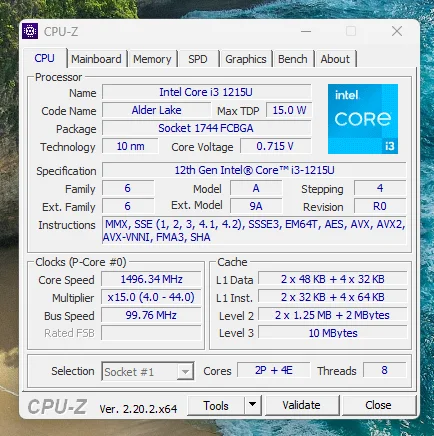
The Core i3-1215U combines two performance cores and four efficient cores for six cores and eight threads. CPU-Z identified the expected Alder Lake processor and instruction set, while Windows and Ubuntu Live independently confirmed the platform. This hybrid layout is well suited to an always-on machine: background services can remain light, while the performance cores handle short interactive work and software that cannot use the media engine.
Application tests show where that processor is useful. During the combined nginx, PostgreSQL and Redis workload, sampled host CPU averaged 63.42% while nginx completed 468,828 requests without errors and PostgreSQL reported no failed transactions. Sustained CPU load raised complete-system wall power to about 37W. For Jellyfin, Intel Quick Sync was more efficient than pushing video through the CPU: the measured QSV session used about 13W at the wall and two matching 4K60-to-1080p60 conversions remained real time.
This is not a workstation-class processor for heavy rendering or many large virtual machines. Its strength is balanced service capacity: web applications, file sharing, databases and media tasks can coexist without requiring a high idle-power desktop CPU.
Memory: 16GB dual-channel DDR4-3200
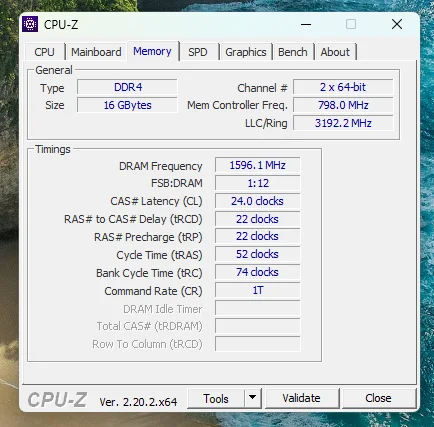
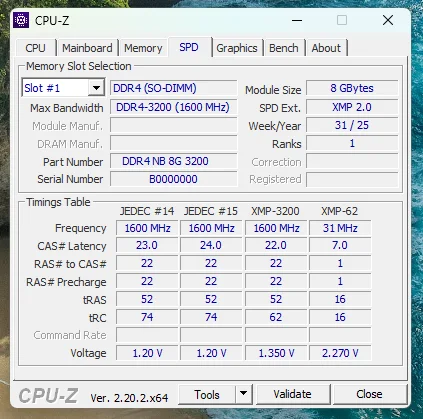
The fully inventoried unit contained two 8GB DDR4-3200 modules operating at a configured 3200MT/s. CPU-Z Memory and SPD pages were captured, and the Windows inventory listed both populated DIMM locations separately. That dual-channel configuration is relevant to the integrated GPU as well as the CPU because the media and graphics engines share system memory bandwidth.
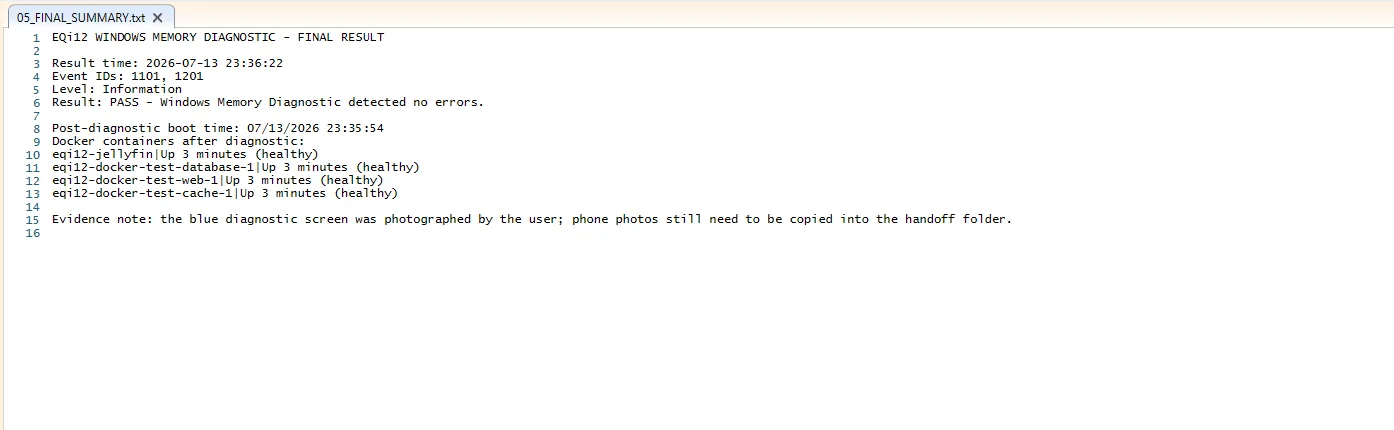
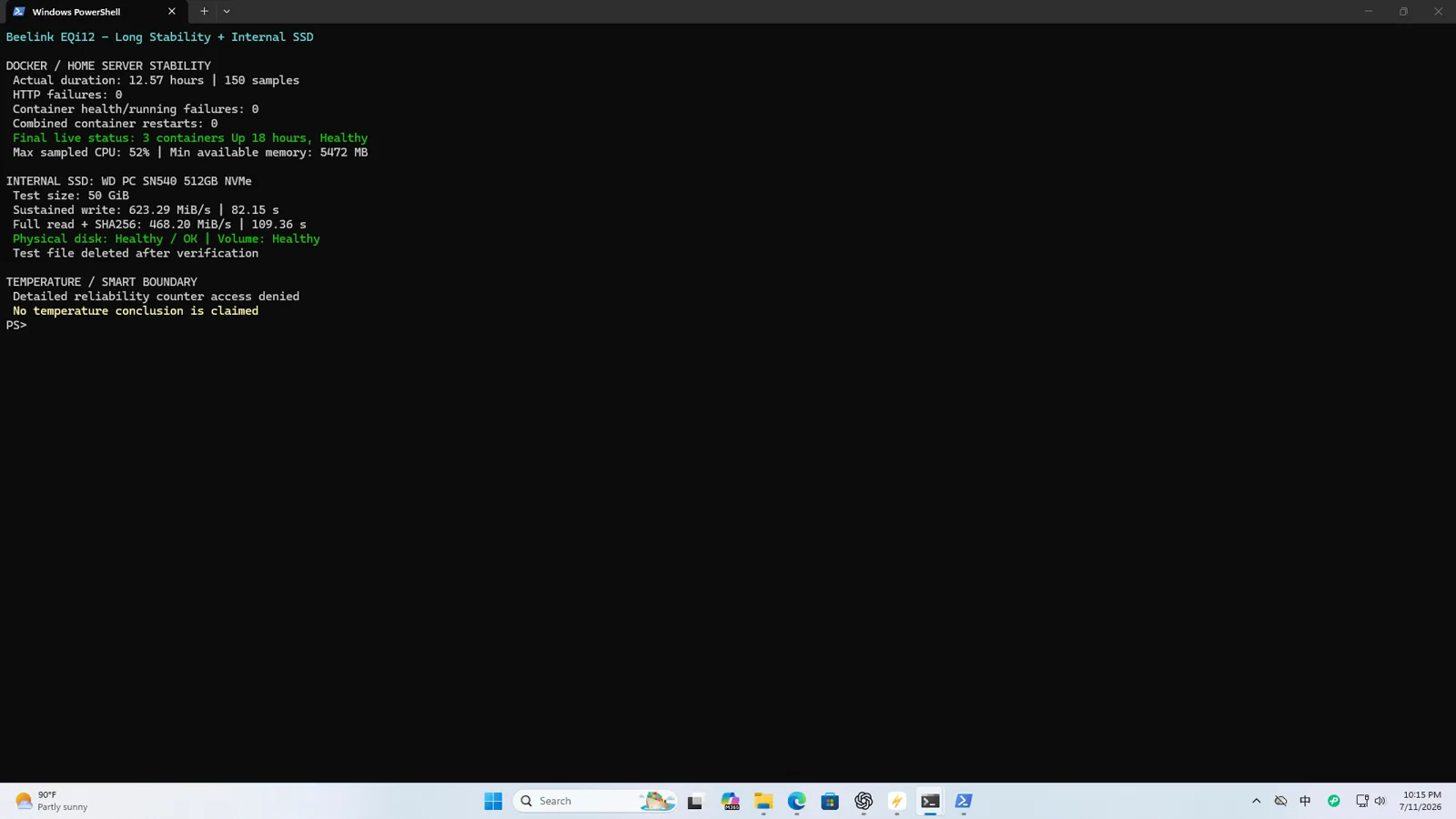
Windows Memory Diagnostic completed with Event IDs 1101 and 1201 reporting no detected errors. After the diagnostic reboot, the nginx, PostgreSQL, Redis and Jellyfin containers returned healthy. During the 12.57-hour service monitor, the lowest sampled available-memory value was 5,472MB, so the tested stack did not exhaust the installed 16GB.
Sixteen gigabytes is a comfortable starting point for this Windows, Docker and Jellyfin combination. Memory-heavy databases, several virtual machines or large caching workloads would require a separate capacity plan rather than assuming the remaining headroom will stay constant.
Internal SSD and four USB-A paths
The installed WD PC SN540 reported firmware 33006000, healthy SMART status and an observed temperature around 38°C during the recorded check. In a sustained 50GiB test it wrote at about 623.29MiB/s and read back at about 468.2MiB/s, with matching SHA-256. This is slower than a small cached benchmark may suggest, but still several times faster than a gigabit network client can consume.
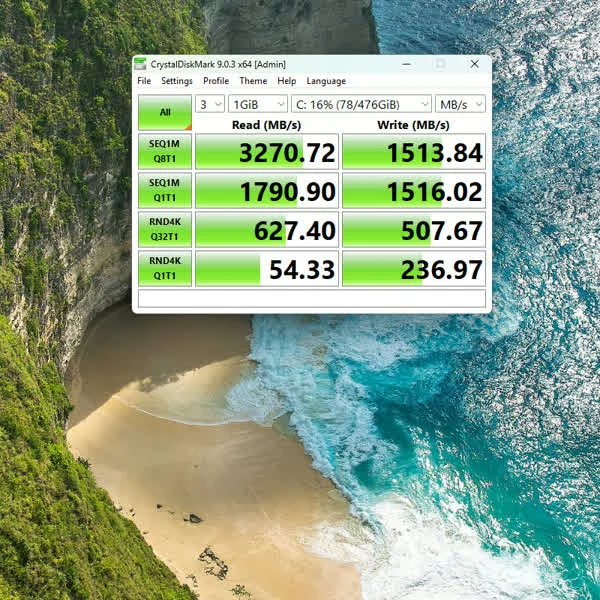
The retained CrystalDiskMark 8.0.5 capture used three runs and a 1GiB test size. It is included for conventional benchmark comparison, while the 50GiB transfer remains the stronger evidence for sustained server use.
The external SSD test was more revealing. Three USB-A paths produced roughly 301MiB/s write and 432MiB/s read results in the consolidated 50GiB run. One rear path repeatedly behaved like a USB 2.0-class connection. Three 4GiB retests stayed between 39.35 and 39.75MiB/s writing and 40.95 and 43.12MiB/s reading. Every round preserved the data hash.
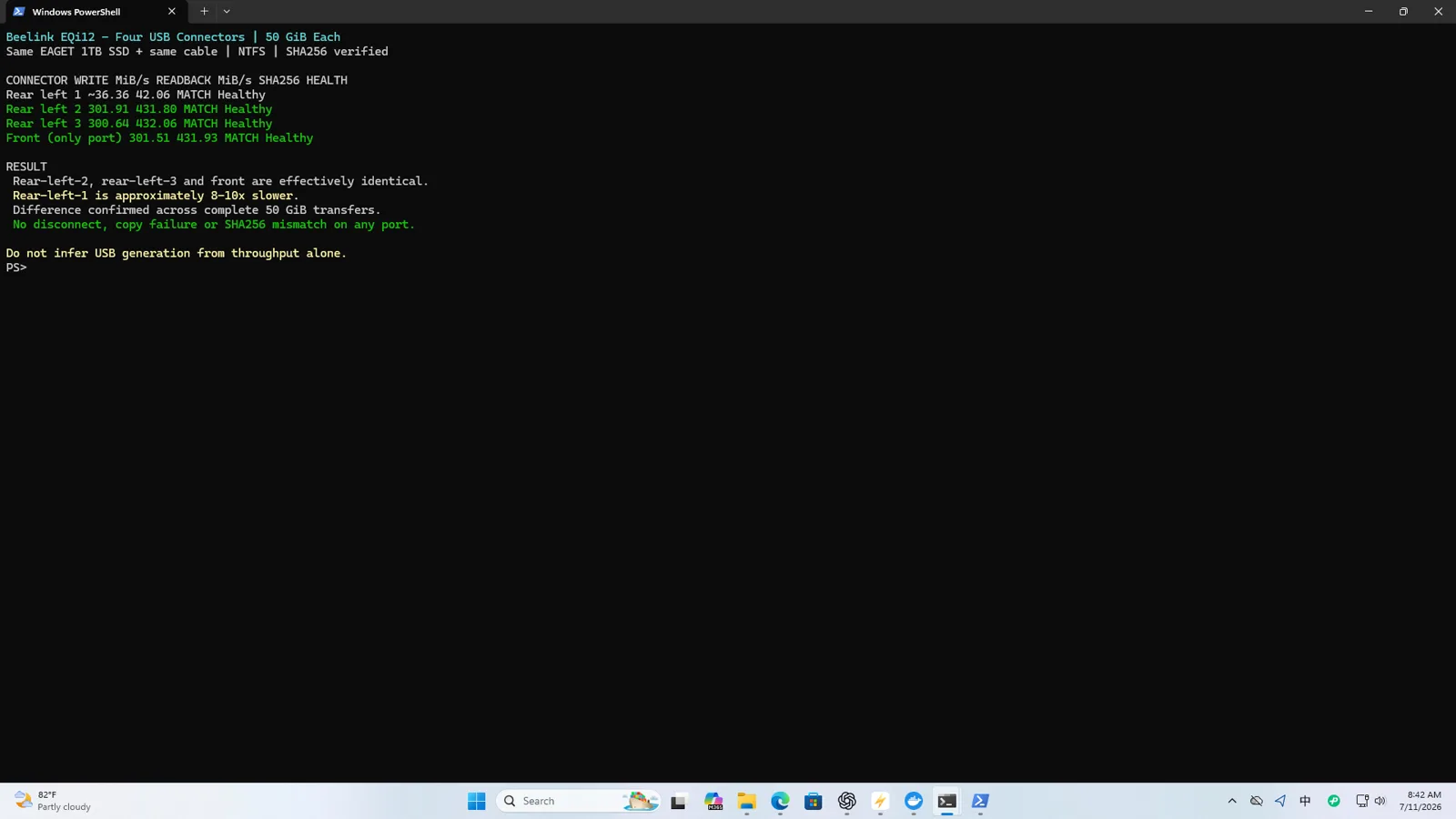
That pattern supports a negotiated-link or compatibility problem, not a claim that the connector corrupts data. For a permanent backup drive, test the exact enclosure, cable and physical port, then label that port in the server documentation. The detailed SSD and USB report separates the sustained workload from the CrystalDiskMark capture and explains the repeat method.
Ethernet, Wi-Fi 6 and SMB performance
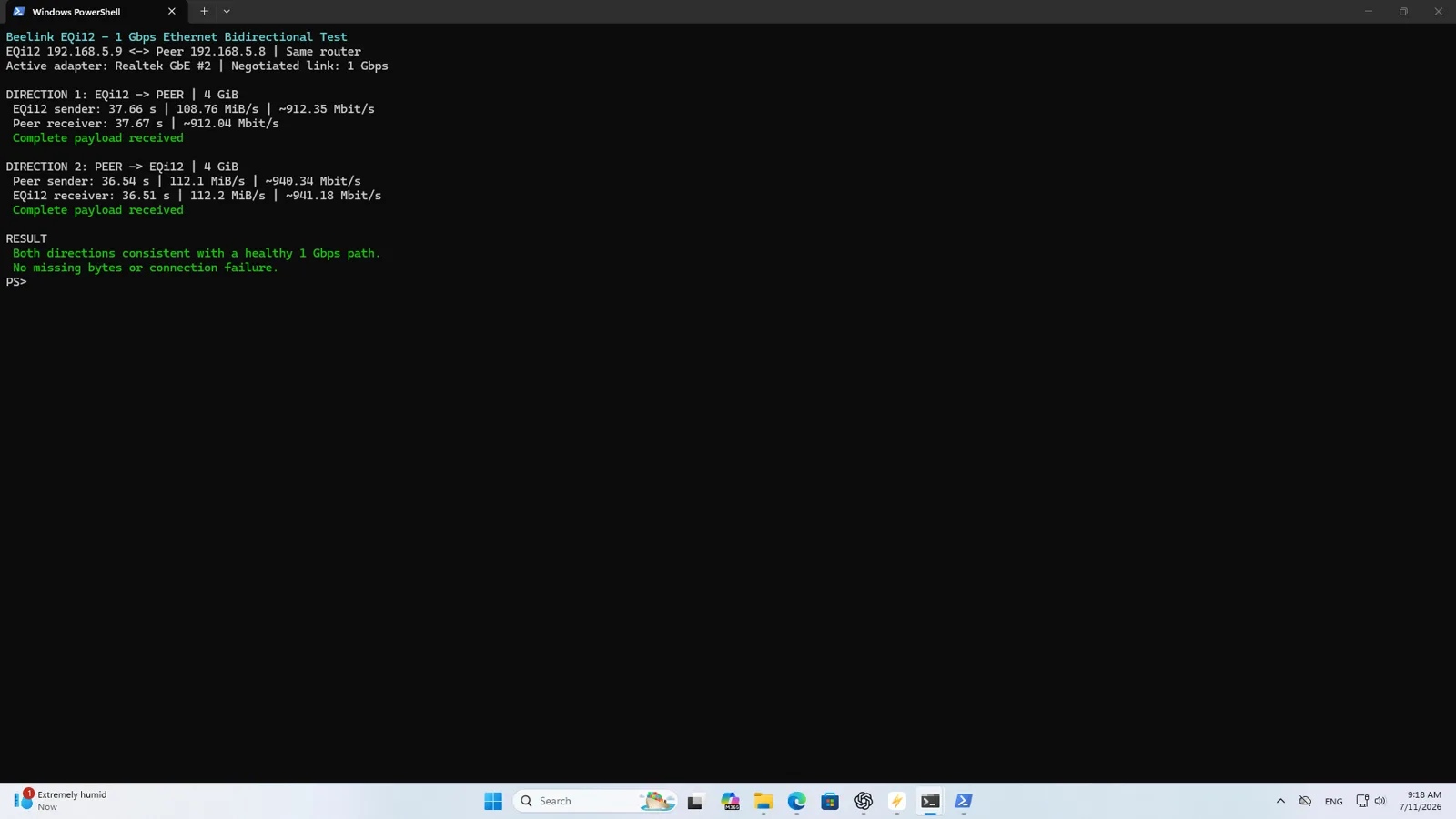
Each Realtek port was mapped to a physical jack and tested in both directions with a 4GiB workload. The four measured results ranged from about 891 to 941Mbps. That is normal application-level performance for gigabit Ethernet after protocol overhead and confirms that these are 1GbE ports. Neither port showed a meaningful performance advantage over the other.
The Intel AX200 negotiated a 2402/2402Mbps Wi-Fi link on a 5GHz, 160MHz 802.11ax connection. A near-range 4GiB test reached about 618Mbps in one direction and 870Mbps in the other. The negotiated figure is a radio link rate, not expected file throughput; interference, router capability and room layout make Wi-Fi less predictable than the wired path.
For a server-style file test, a 50GiB file moved over SMB at about 107.15MiB/s in one direction and 102.95MiB/s in the other. The post-transfer SHA-256 matched. A second workload containing 10,000 files of 64KiB completed in both directions with no missing files or hash mismatch, although throughput fell to about 26.57 and 51.31MiB/s because metadata and file-open operations dominate small-file transfers.
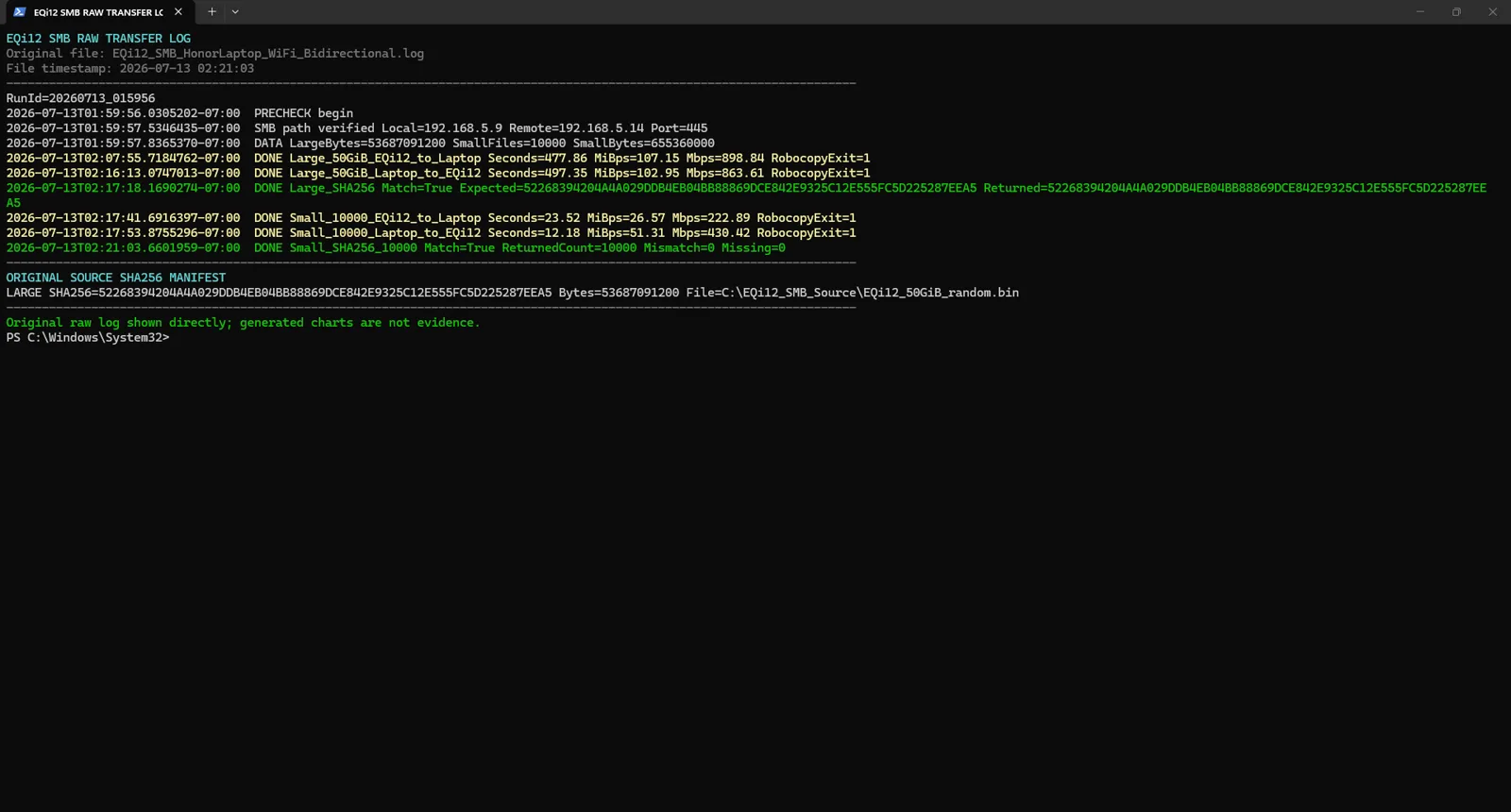
What this means: the EQi12 is fast enough for a single-client NAS, backup target or media server on a normal gigabit LAN. Buying a faster NVMe drive will not make one gigabit client exceed the network link. Users who routinely move hundreds of gigabytes should choose hardware with a verified faster network controller.
The dedicated network, Wi-Fi and SMB report includes the directional runs, port mapping and file-integrity method.
For users planning multi-drive storage on top of this hardware, the ZFS & RAID storage planning guide covers RAIDZ1, RAIDZ2, RAIDZ3 and mirror layouts with real capacity numbers, rebuild-risk analysis and the URE interaction that matters when arrays grow beyond a few drives.
Docker and mixed service workloads
Compatibility was established through WSL2, Docker information, container state and actual workloads rather than a Docker Desktop icon. nginx, PostgreSQL 17 and Redis 8 were tested separately and then together.
Corrected nginx results rose from 6,155.81 requests/s at concurrency 10 to 10,629.74 requests/s at concurrency 100, with zero errors. PostgreSQL reached 3,323.39 TPS with 10 clients and 4,384.85 TPS with 30 clients, also with no failed transactions. Redis produced more than 145,000 SET requests/s and 158,000 GET requests/s at 50 clients.
The mixed run is the better planning number. While all three services were active, nginx completed 468,828 requests with zero errors at an average 7,805.10 RPS. PostgreSQL completed 2,082.95 TPS at 9.582ms average latency with no failed transactions. Sampled host CPU averaged 63.42%, and the containers remained healthy without restarts.

These are localhost synthetic results, not a promise about internet visitors. Real applications add TLS, authentication, framework code, queries and storage latency. The useful conclusion is that this small PC can operate a modest multi-service stack with substantial headroom for home use.
See the Docker benchmark report for the corrected client method, commands and mixed-workload interpretation.
Jellyfin and Intel Quick Sync
Native Windows Jellyfin 10.11.11 was configured to transcode a 3840×2160 60fps H.264 source to 1920×1080 60fps at roughly 10Mbps. The generated FFmpeg command and log showed h264_qsv output and vpp_qsv hardware scaling, which is stronger proof than a checked hardware-acceleration box.
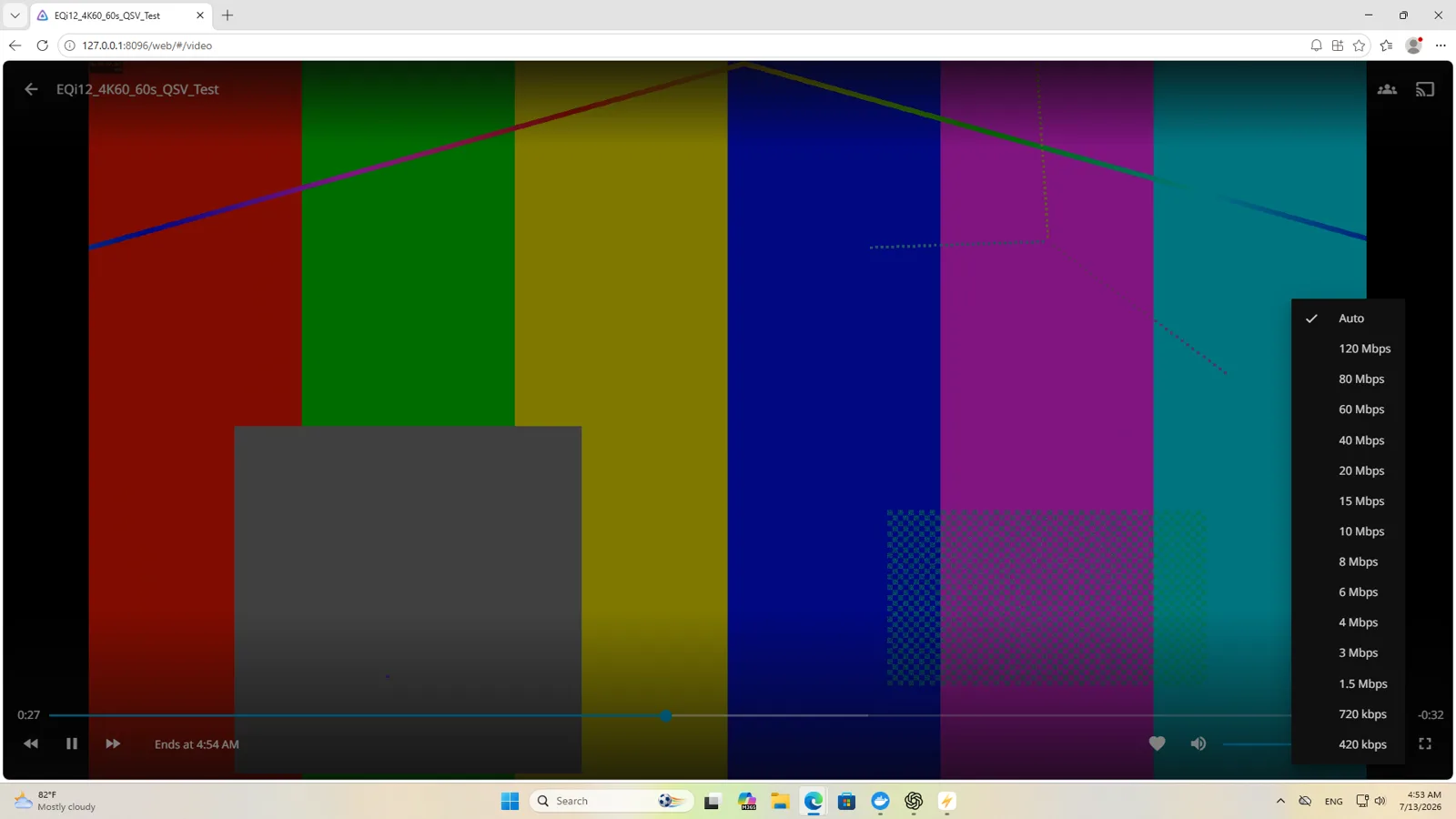
The codec matrix passed H.264, HEVC Main10, VP9 and AV1 hardware decode. H.264 and HEVC Main10 hardware encode worked; AV1 hardware encode did not. In direct matching QSV workloads, two simultaneous conversions held about 1.01× real time each. Four ran at roughly 0.708–0.710×, around 42–43fps per stream, so the evidence supports two real-time 4K60-to-1080p60 conversions rather than four.

For a household with one or two remote transcodes, this is useful capability at very low power. Multiple subtitle burns, audio conversions or different source codecs can change the limit. The complete Jellyfin concurrency report preserves the measured boundary, while the Jellyfin QSV setup guide shows how to prove the active hardware path from the FFmpeg log.
Wall power, heat and noise
The power meter showed about 14W at Windows idle, 12W with the Docker service stack idle, 37W during sustained CPU load and 13W during the measured Jellyfin QSV workload. Startup was observed at about 23W. S3 sleep and normal shutdown were both around 1W on this whole-watt meter.
| State | Observed wall power |
|---|---|
| Startup | about 23W |
| Windows idle | about 14W |
| Docker services idle | about 12W |
| Sustained CPU load | about 37W |
| Jellyfin QSV active | about 13W |
| S3 sleep | about 1W |
| Shutdown | about 1W |
The 2W difference between Windows idle and Docker idle should not be interpreted as Docker saving energy. These were short, whole-watt observations with normal background activity. The important comparison is workload scale: hardware transcoding stayed close to idle power, while sustained CPU work was the clear high-power state.
The seven-state power report explains the meter resolution and gives annual-energy examples without turning short observations into false precision. Plug those measured values into the home server power cost calculator to estimate your own annual electricity spend.
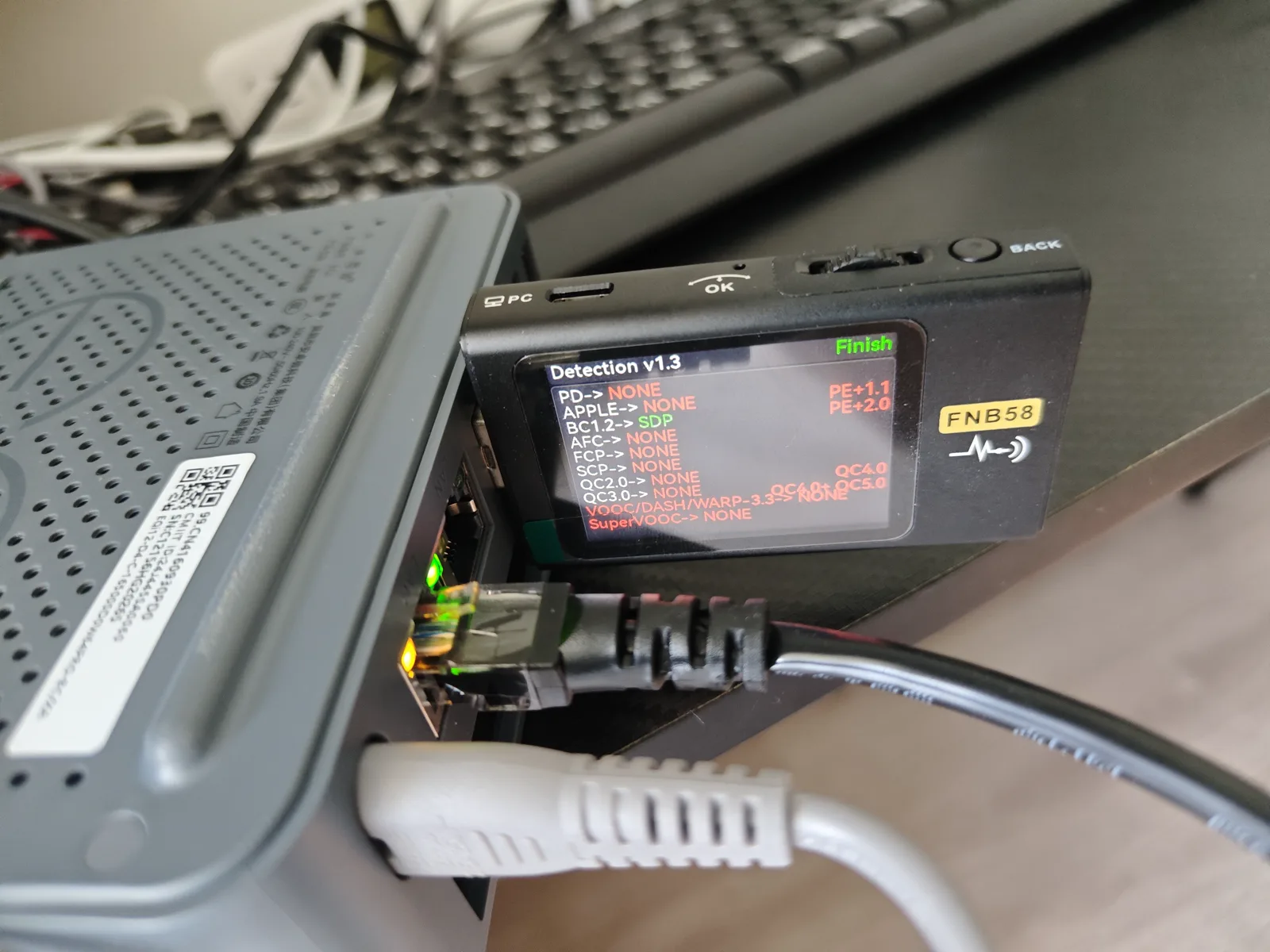
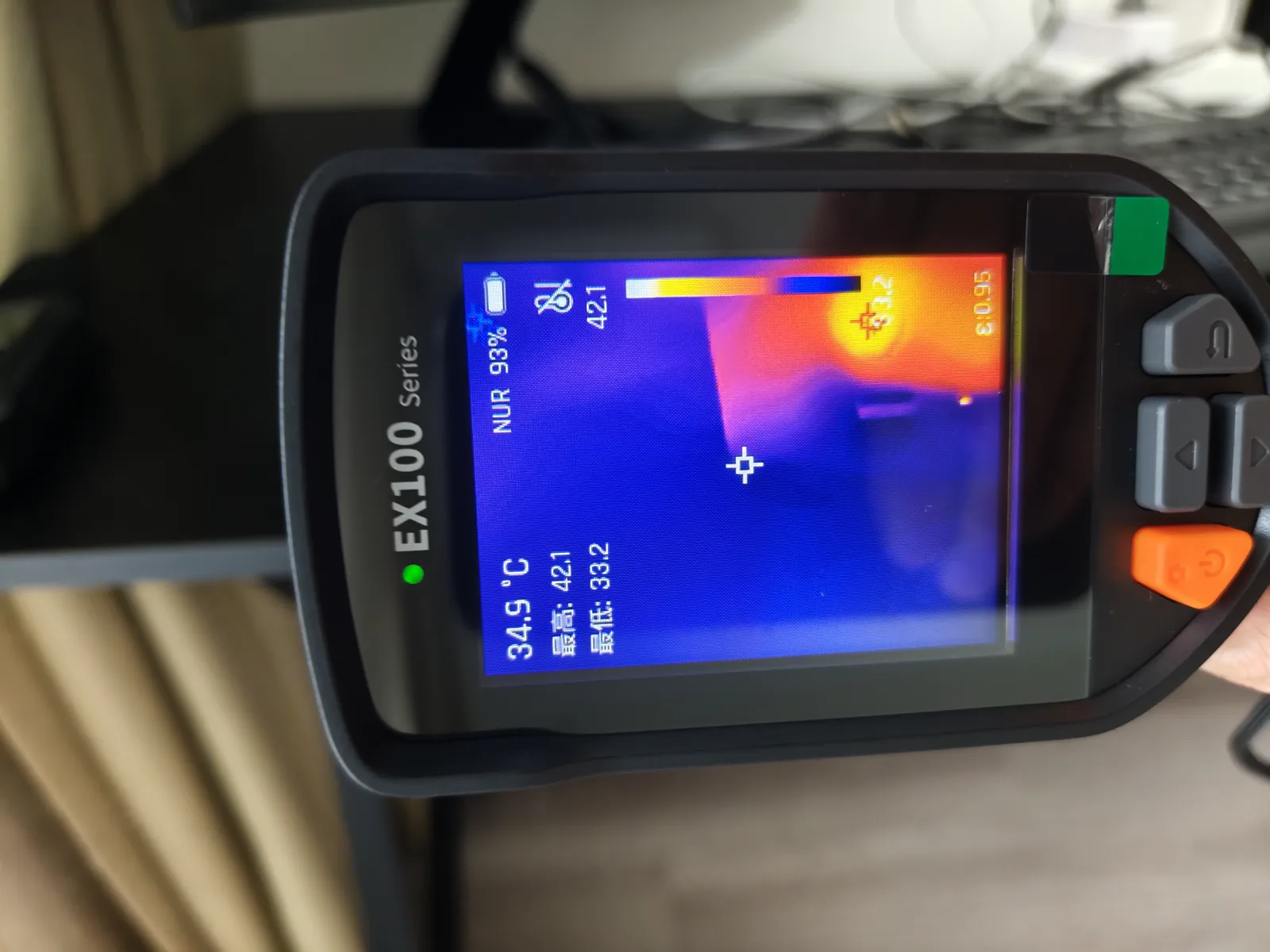
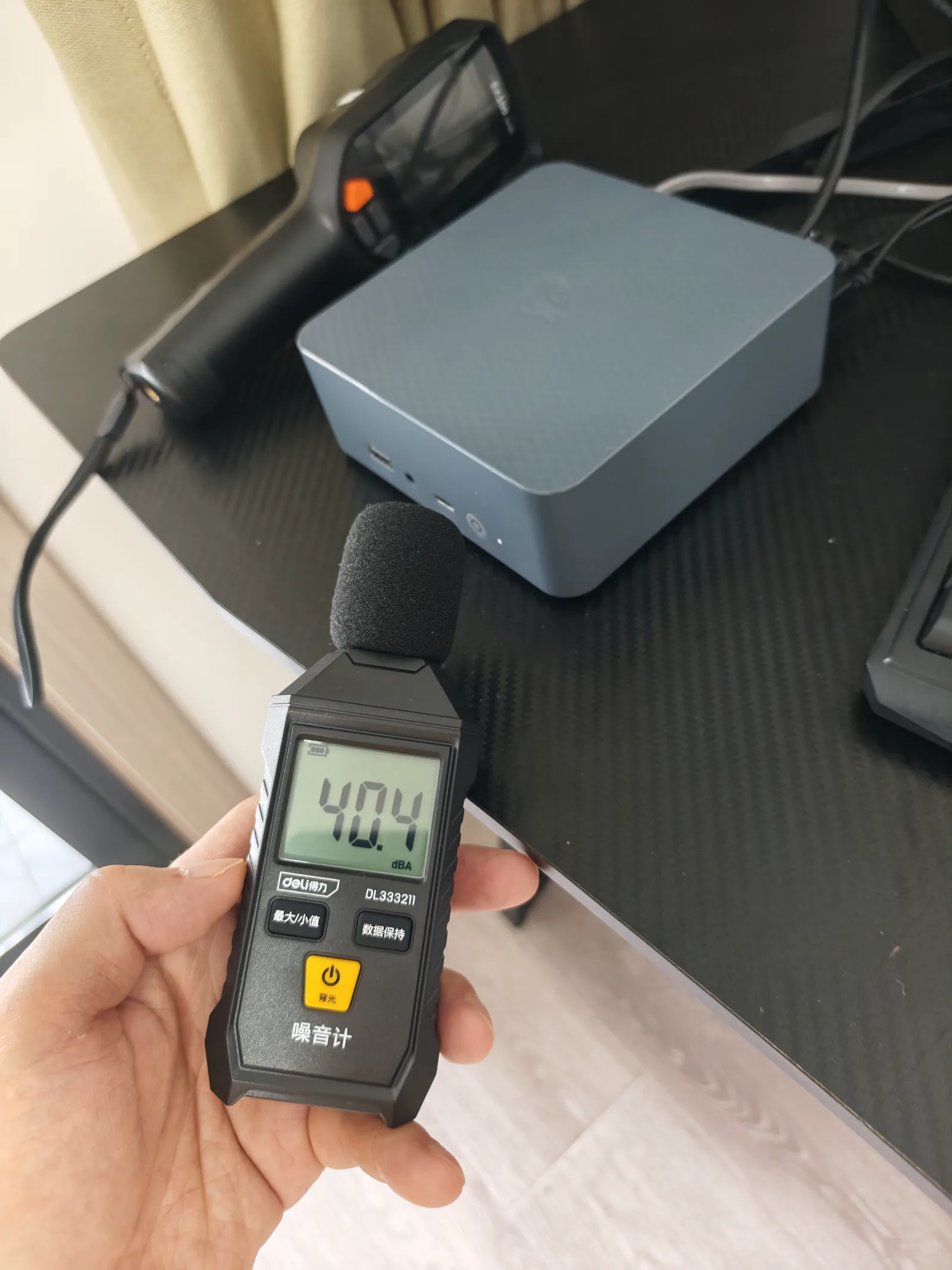
The photo archive includes thermal images from idle, playback and load batches, plus AIDA64 monitoring and a sound-meter scene. Those images are useful for showing where heat collected and how the machine was arranged. We do not turn an unlabeled thermal frame into a precise temperature claim. The noise image shows a 40.4dBA reading in this photographed setup, but room background, microphone distance and workload matter, so it is treated as a setup-specific observation rather than a universal rating.
BIOS, Wake-on-LAN and power recovery
The AMI Aptio firmware exposed Intel virtualization, VT-d, S3 sleep and State After G3. VT-d was enabled. For unattended recovery, State After G3 was set to S0 State, which tells the system to boot after input power returns.
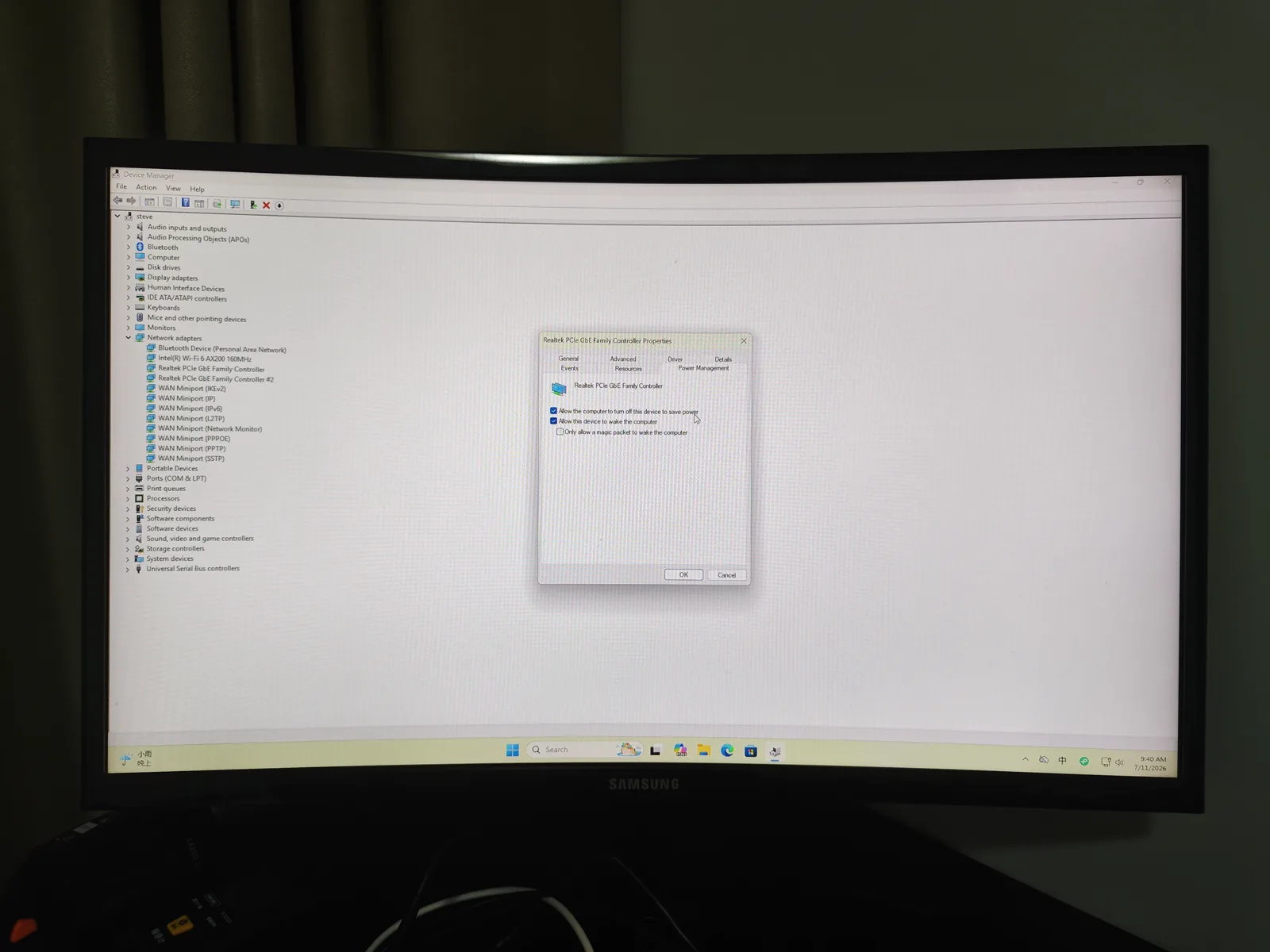
Normal restart passed 5/5. Shutdown Wake-on-LAN passed 5/5, with Jellyfin becoming available in about 42 seconds on average. AC-loss recovery passed 3/3 and Jellyfin returned in about 40.77 seconds on average. S3 sleep WOL was the exception: four cycles worked, while one required the physical power button.
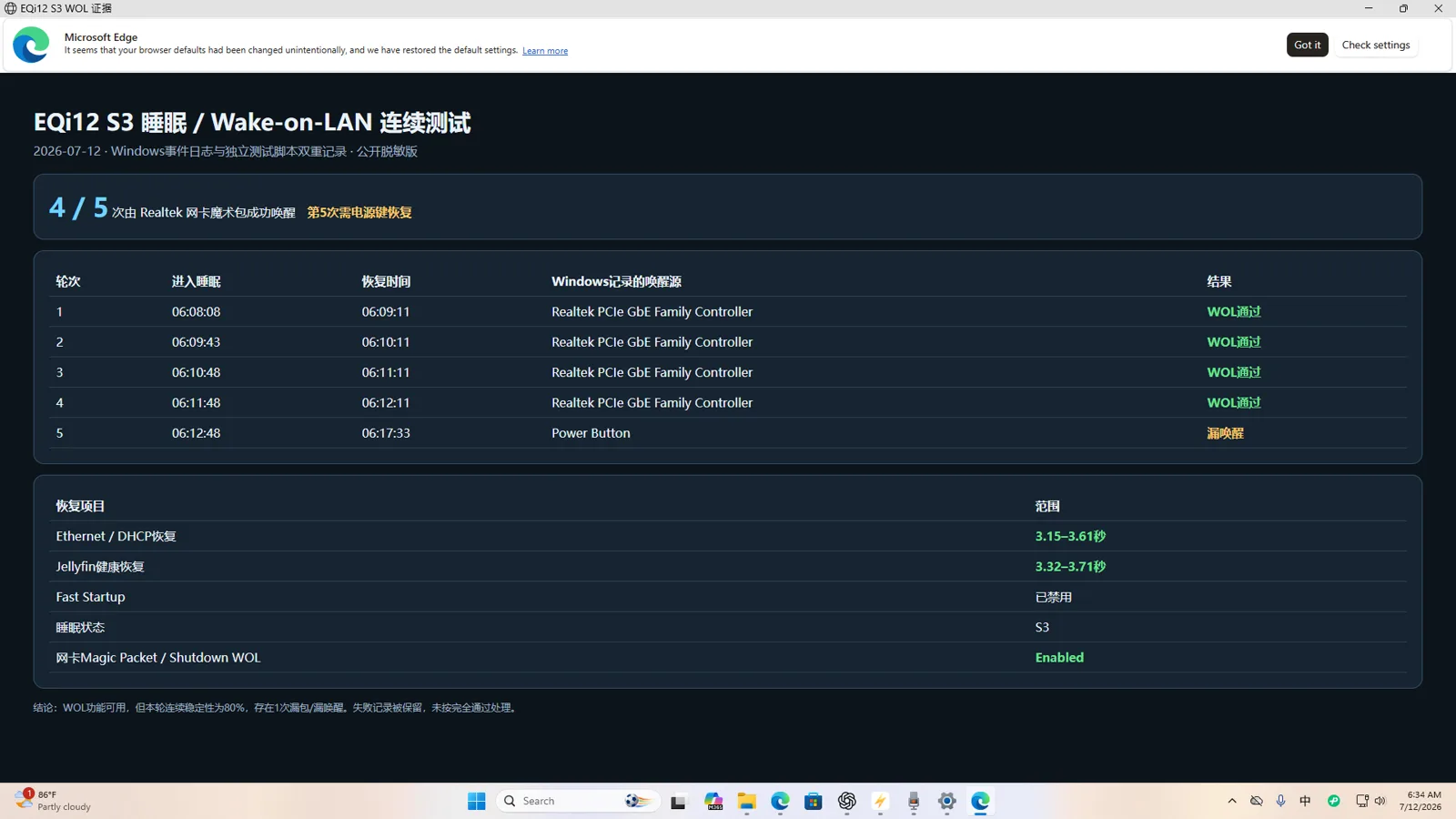
Because shutdown and S3 both measured around 1W with this meter, shutdown WOL is the clearer default: it was more consistent without a measured standby-power penalty. A small UPS is still valuable for orderly shutdown and data protection; automatic power-on only proves that the machine returns when electricity does.
Use the BIOS guide, Wake-on-LAN procedure and AC recovery procedure to reproduce these settings without guessing from a similarly named option.
Stability, backup and recovery
The monitored service run lasted 12.57 hours and produced about 150 samples. There were no HTTP failures, container-health failures, running-state failures or container restarts. Maximum sampled host CPU was 52%, and minimum available memory was 5,472MB.
Recovery testing went above “the container started.” nginx configuration reload completed in 0.660 seconds. A PostgreSQL marker survived restart and was verified after 0.833 seconds. A Redis marker returned after 2.042 seconds. PostgreSQL export and restore passed. Redis backup and restore passed after the test method was corrected to preserve the binary dump; the initial text-pipeline attempt was invalid because it changed the payload.
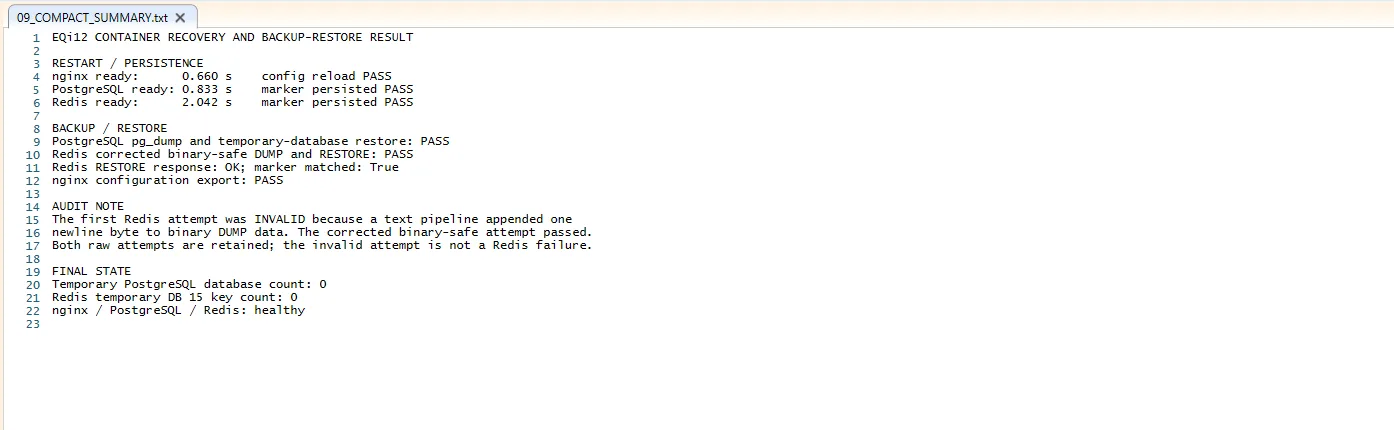
The 12.57-hour stability report defines the sample interval and pass criteria. It supports an overnight service run, not a multi-day reliability claim.
What the second EQi12 revealed
Testing two retail units exposed an issue a single review sample would have missed. Their supplied Windows images shared the same Machine SID prefix. That does not make either PC unusable as a standalone machine, and duplicate local SIDs do not automatically break a workgroup. The useful conclusion is that the OEM imaging process did not provide the distinct identity evidence expected from properly generalized deployments.
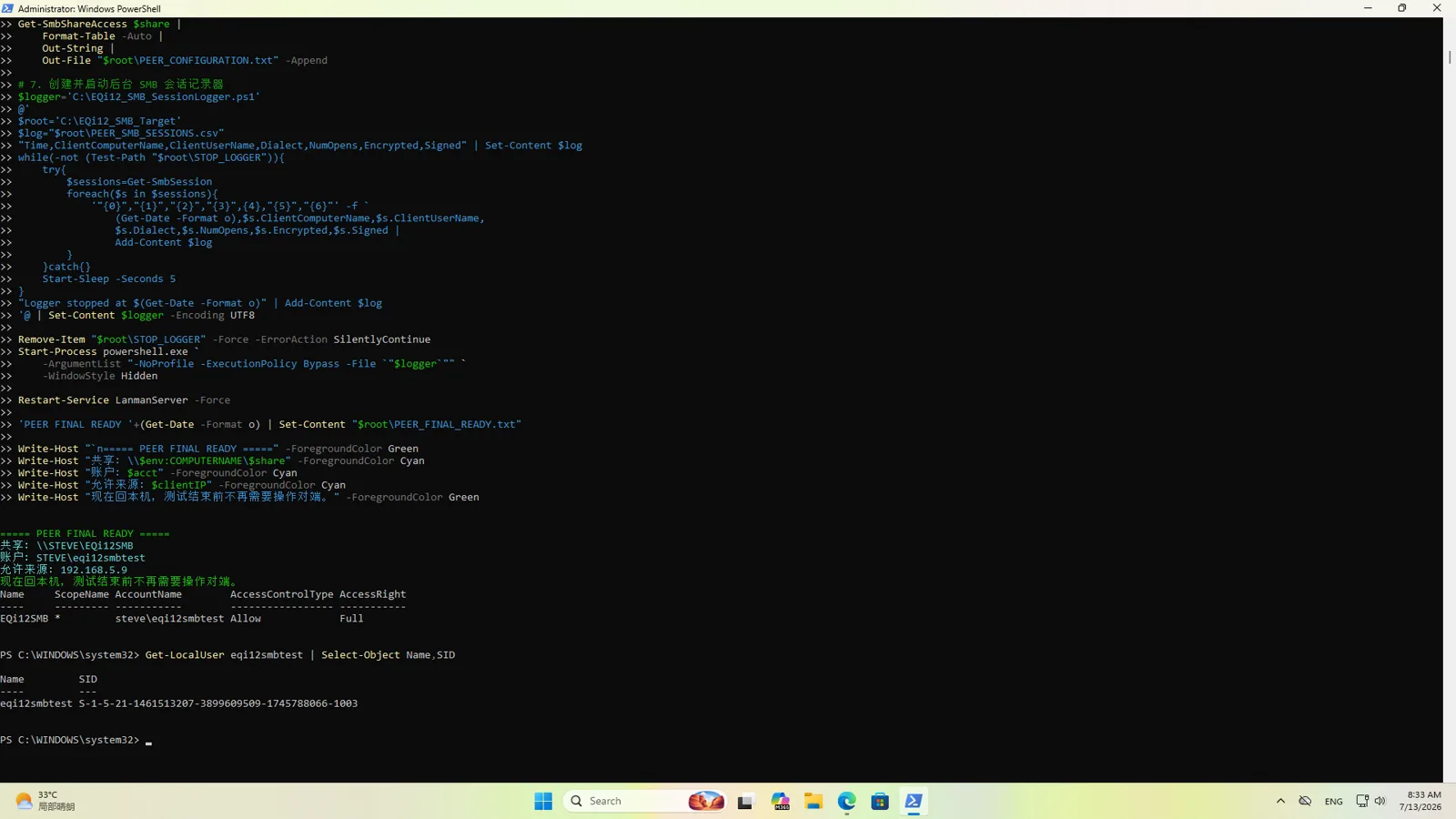
Microsoft documents Sysprep generalization as a step performed before a reference image is captured. It should not be presented as a universal post-deployment repair for an unknown OEM image. The duplicate-SID deployment guide explains the supported boundary and preserves the two-unit sample size.
The two-unit check also reinforced the need to bind every result to a physical device. CPU, memory, SSD, network, BIOS, Windows build and serial evidence were stored in separate unit folders instead of assuming two machines sold under the same name were identical.
Strengths and weaknesses
What the EQi12 does well
- Near-line-rate throughput on both physical gigabit Ethernet ports.
- Intel AX200 Wi-Fi 6 with strong near-range performance.
- Healthy NVMe storage that is comfortably faster than a gigabit client.
- Two real-time 4K60-to-1080p60 Intel QSV workloads in the tested path.
- Low wall power at idle and during hardware transcoding.
- Stable mixed Docker workload with nginx, PostgreSQL and Redis.
- Consistent restart, shutdown WOL and AC-return recovery results.
- A firmware interface that exposes the settings needed for a Windows home server.
What requires attention
- One USB-A path repeatedly operated around 40MiB/s with the external SSD.
- S3 Wake-on-LAN succeeded 4/5 rather than 5/5.
- Two OEM Windows installations shared a Machine SID prefix.
- Sixteen gigabytes is comfortable for this stack but limits aggressive VM or memory-heavy expansion.
Who should buy it?
Buy it if you want a compact Windows home server for Jellyfin, shared storage, backups, Home Assistant-class services, small databases or a learning lab, and your network is gigabit. It is especially attractive where hardware video transcoding and low idle power matter more than peak CPU performance.
Look elsewhere if faster-than-gigabit networking is essential, if every external-storage connection must be equally fast, or if the plan depends on several heavy virtual machines. A faster-network mini PC may cost more, but it avoids designing the rest of the system around a permanent one-gigabit ceiling.
FAQ
What speed did the Ethernet ports deliver?
Beelink specifies two Gigabit Ethernet ports. Our two physical ports measured about 891–941Mbps across directional tests, consistent with normal application-level 1GbE performance.
Can it run Jellyfin hardware transcoding?
Yes. The tested Windows Jellyfin path used Intel QSV decode, encode and scaling. Two matching 4K60-to-1080p60 workloads ran in real time; four did not.
Is the internal SSD fast enough for a home server?
Yes for the tested gigabit use case. The sustained read and write results exceed what one 1GbE client can transfer. Capacity and backup strategy are more important than chasing a larger benchmark score.
Does Wake-on-LAN work?
Shutdown WOL passed five out of five cycles. S3 sleep WOL passed four out of five. We would configure shutdown WOL for dependable remote startup and keep AC-loss recovery enabled where automatic return is required.
Should I keep the factory Windows installation?
A single standalone unit can be used after normal security and update checks. For multiple units, domains or clustering, a clean installation is the clearest response to an unknown OEM image. In a controlled imaging workflow, Microsoft-supported generalization happens before image capture.
Bottom line
The EQi12 earned its recommendation through service behavior rather than a headline benchmark. It moved verified data at the limits of gigabit Ethernet, handled a mixed Docker stack, performed useful QSV transcoding and came back after the recovery events that matter to an unattended server. Its limitations are concrete and manageable: the expected gigabit network ceiling, one anomalously slow USB path, imperfect S3 wake and an OEM Windows identity issue. If those trade-offs match the deployment, it is a capable low-power foundation for a real home lab.
Continue with the Windows home-server build, the Docker benchmark, or the EQi12 evidence hub for every test in this series. For the cross-dataset readout — idle power, the USB port lottery and the zero-failure run in one place — see what 135 measurements on a $200 mini PC actually show. For common Realtek driver issues, see the r8169 troubleshooting guide. For BIOS power recovery configuration, see the AMI BIOS State After G3 guide.