
What was tested
The EQi12 uses an Intel Core i3-1215U with integrated Intel graphics. We tested native Jellyfin on Windows and direct FFmpeg/Intel Quick Sync workloads to answer three separate questions:
- Can Jellyfin use QSV for a 4K60-to-1080p60 transcode?
- How many identical QSV workloads can remain real time?
- Which modern codecs decode or encode through the available QSV runtime?
These tests should not be collapsed into one marketing number. A successful codec probe does not guarantee application-level concurrency, and a direct FFmpeg run is not the same as four remote Jellyfin clients.
Native Windows Jellyfin result
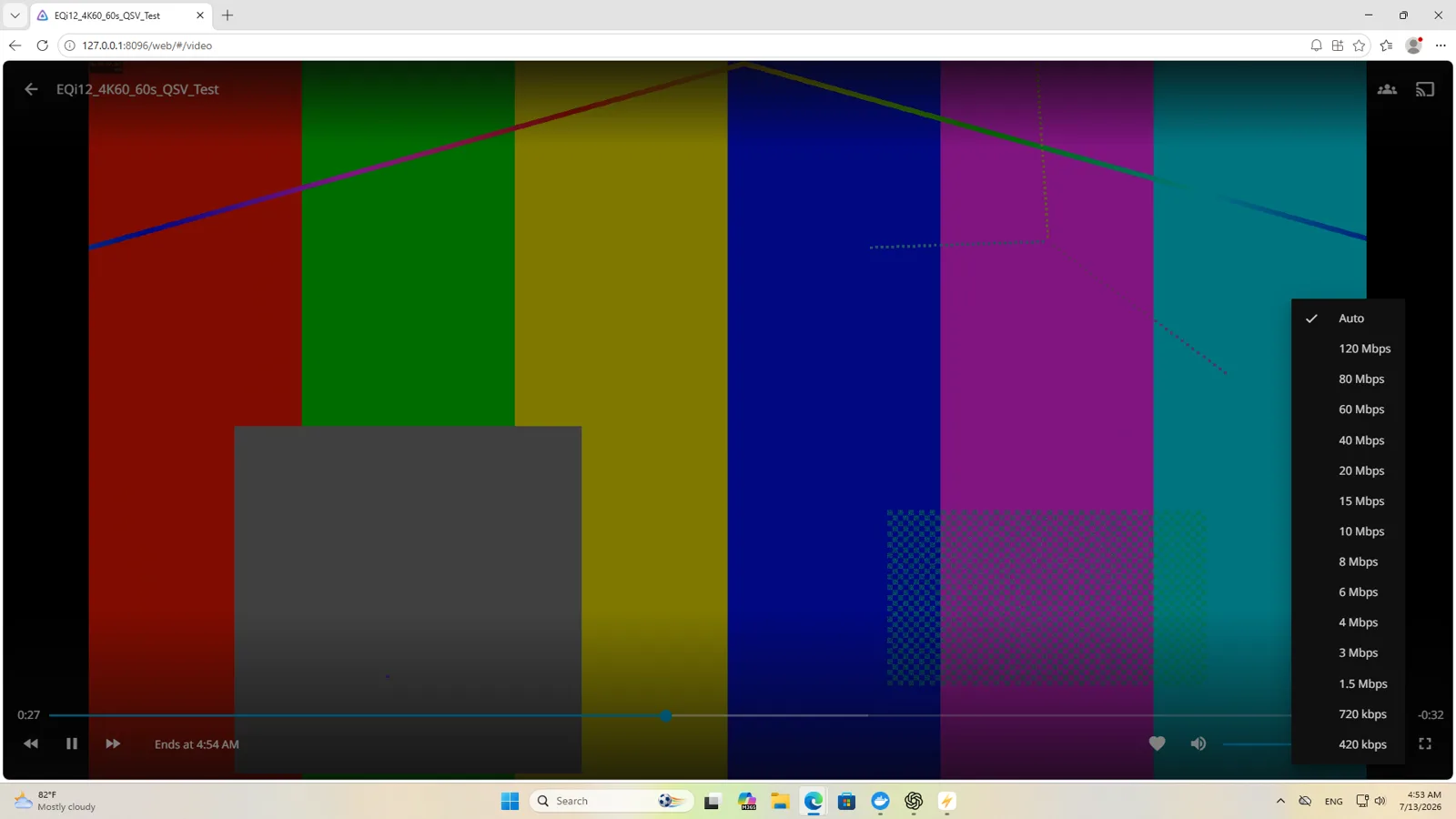
Jellyfin Server 10.11.11 ran natively on Windows at port 8096. The client selected a 10Mbps playback target for an H.264 3840x2160 60fps source.
The Jellyfin-generated FFmpeg log recorded:
- QSV initialization through the Intel graphics device;
- h264_qsv as the output encoder;
- vpp_qsv with 1920x1080 hardware scaling;
- H.264 1920x1080 60fps output at roughly 9.8-10Mbps.
That log is sufficient to state that native Windows Jellyfin QSV hardware transcoding passed for this test. A prior software-only attempt is not used as the final result.
Two streams versus four
The concurrency test processed the same 4K60 source for 60 seconds per stream.
| Concurrent workloads | Completion rate | CPU average | GPU video-decode average | Interpretation |
|---|---|---|---|---|
| 2 | about 1.01x each | 21.89% | 62.59% | Real time in this test |
| 4 | about 0.708-0.710x each, 42-43fps | 27.86% | 95.48% | Completed, but not real time |
The supported conclusion is two simultaneous 4K60-to-1080p60 QSV workloads at real-time speed under these conditions. Four completed but fell below real time.
This was a direct FFmpeg/QSV capacity test. It is not evidence of four real Jellyfin clients with network delivery, subtitles, audio conversion, authentication, and library activity occurring simultaneously.

Codec matrix
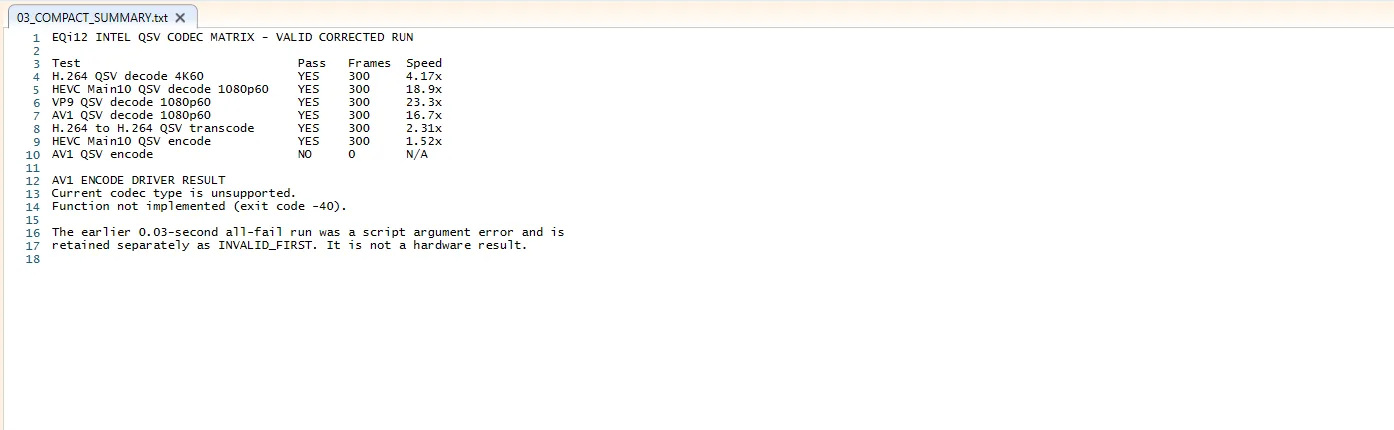
A corrected five-second source set produced the following results:
| Operation | Result |
|---|---|
| H.264 4K60 QSV decode | passed, about 4.17x |
| HEVC Main10 1080p60 QSV decode | passed, about 18.9x |
| VP9 1080p60 QSV decode | passed, about 23.3x |
| AV1 1080p60 QSV decode | passed, about 16.7x |
| H.264 to H.264 QSV transcode | passed, about 2.31x |
| HEVC Main10 QSV encode | passed, about 1.52x |
| AV1 QSV encode | unsupported |
The QSV runtime returned “Current codec type is unsupported” and “Function not implemented” for AV1 encoding. AV1 decoding and AV1 encoding are different capabilities; success in one does not imply the other.
An initial script run exited almost immediately because of a PowerShell parameter conflict. Those files are labeled INVALID_FIRST and are excluded from the hardware conclusion.
Power during hardware transcoding
The wall meter showed about 13W while Jellyfin was actively performing the QSV transcode. The valid FFmpeg log confirms the QSV and VPP path.
This is an observed activity reading, not a full five-minute average. Jellyfin processed ahead at more than playback speed, so the load was not constant across the entire media duration.
For context, Windows idle measured about 14W, Docker services idle about 12W, and sustained CPU load about 37W. The close idle and QSV readings illustrate why hardware media engines are useful, but the meter’s whole-watt resolution and background tasks limit finer comparisons.
Playback tests
Local Edge playback of a 4K60 file averaged about 38.58% GPU Video Decode with a peak around 42.91%; the recorded run showed 11 dropped frames out of 4,886.
YouTube 2160p60 used VP9 and Opus at 3840x2160 60fps. During an accurately bounded 30-second interval, no additional dropped frames were recorded, while GPU Video Decode averaged about 25.61% and peaked around 27.64%.
These playback observations support decoding capability but are separate from server-side transcoding.

Configuration guidance
- Verify the active Jellyfin FFmpeg log, not only a dashboard toggle.
- Look for the intended hardware encoder in the log.
- Confirm QSV hardware scaling when resolution changes.
- Keep the Windows native instance and any Docker Jellyfin instance on clearly documented ports.
- Test the actual subtitle, audio, bitrate, and codec combinations used by your clients.
- Do not expose temporary test accounts, API tokens, or unrestricted service ports.
Bottom line
The EQi12 passed a demanding single-stream Jellyfin QSV test and sustained two matching 4K60-to-1080p60 workloads at real-time speed. Four-way processing was below real time, and AV1 hardware encoding was unsupported. For a small household with one or two demanding transcodes, the tested result is encouraging; larger concurrency claims require different hardware or lower-complexity source media.
Continue with QSV
Use the complete Jellyfin setup guide for installation, library configuration and remote access, the i3-1215U codec matrix for individual codecs, follow the Windows QSV setup guide for detailed verification, or diagnose unexpected software transcoding.