
What this hub covers
This page is the map for every test we completed on two Beelink EQi12 units built around the Intel Core i3-1215U. It connects the measurements that matter to purchasing and deployment decisions. Use the full review for the buying decision, then follow the specialist reports when a result affects your deployment.
Quick decision: choose this model when two normal 1GbE ports, low wall power and Intel Quick Sync are more important than maximum CPU or network speed. Verify the USB port used for fast external storage, and reinstall Windows before treating multiple OEM-imaged units as managed nodes — see the duplicate Machine SID evidence for the reason.
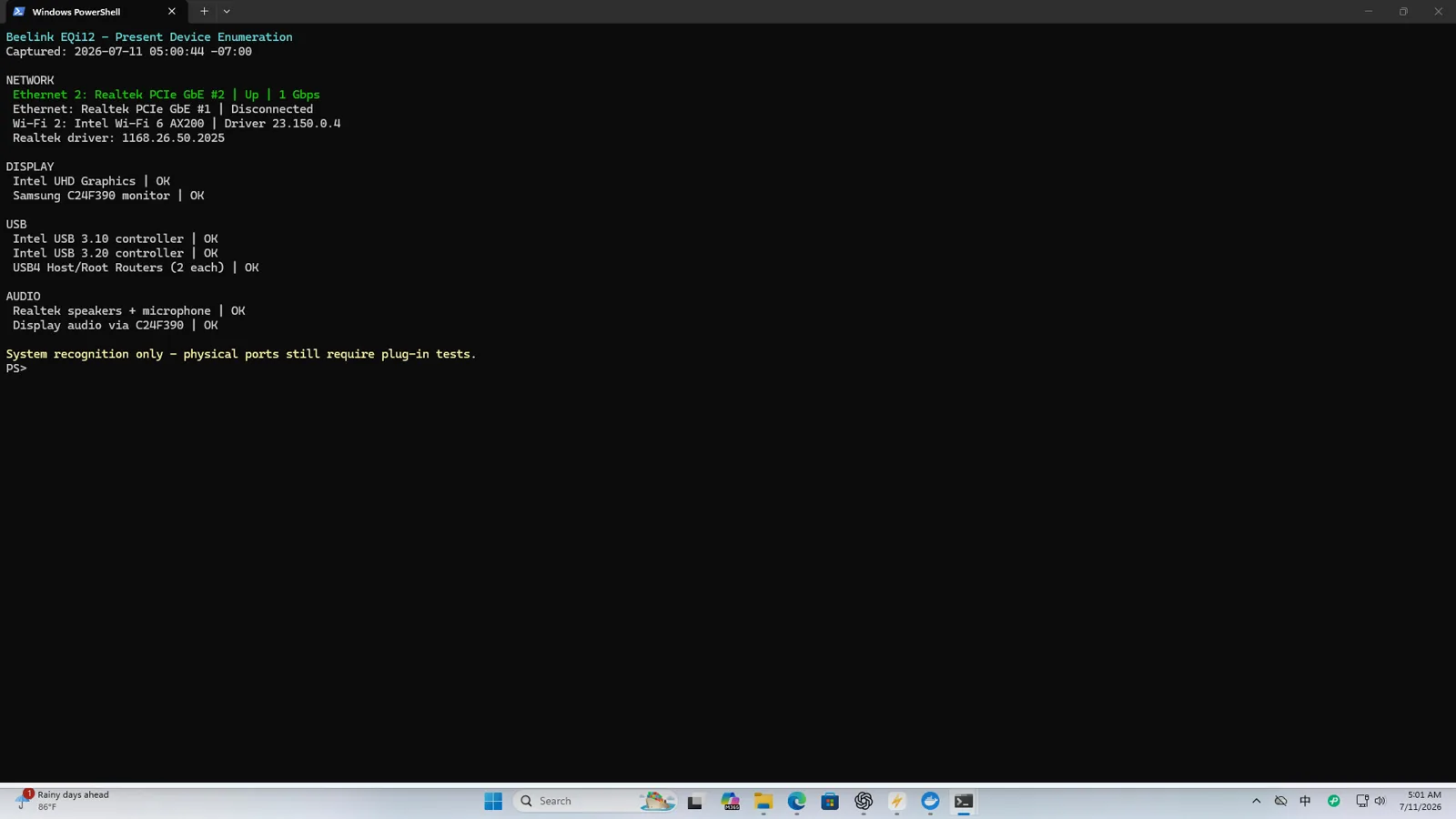
Tested configuration
| Area | Verified result | Evidence status |
|---|---|---|
| CPU | Intel Core i3-1215U, 6 cores and 8 threads | Lab tested |
| Memory | 16GB DDR4-3200, 2 x 8GB on the fully inventoried unit | Lab tested |
| Internal SSD | WD PC SN540 512GB, firmware 33006000 | Lab tested |
| Wired network | Two Realtek PCIe gigabit controllers | Lab tested |
| Wireless | Intel AX200 Wi-Fi 6 160MHz | Lab tested |
| Operating systems | Windows 11 plus Ubuntu Live enumeration | Lab tested |
| BIOS | EQI12D405 on the fully inventoried unit | Lab tested |
| Chassis internals | Not opened | Unknown |
Beelink’s current product page specifies dual 1000M LAN using Realtek RTL8111H controllers. That matches the controller class and throughput observed on our samples. We therefore describe these ports as Gigabit Ethernet rather than implying 2.5GbE capability from the presence of two RJ45 connectors.
Results that change a buying decision
| Question | Measured answer | Practical meaning |
|---|---|---|
| Is wired networking faster than 1GbE? | No; 891–941Mbps in controlled tests | Suitable for normal gigabit LANs, not a 2.5GbE NAS |
| Can the internal SSD sustain real transfers? | 50GiB write/readback passed with matching SHA-256 | Adequate for services and staging data beyond a short cache burst |
| Are all four USB-A paths equally fast? | No; three were fast, one stayed near 39–43MiB/s | Test and label the exact port used for external storage |
| Can Intel QSV transcode media? | Two matching 4K60-to-1080p60 jobs stayed real time | Useful for one or two demanding household sessions |
| Does it recover unattended? | Restart 5/5, shutdown WOL 5/5, AC return 3/3 | Stronger with shutdown or AC recovery than S3 sleep |
| Did mixed services remain available? | 12.57 hours, 150 samples, no recorded health failure | Evidence for an overnight run, not a multi-day reliability claim |
The decisive findings
Beelink officially specifies two Gigabit Ethernet ports. Both reached normal gigabit application throughput, while SMB large-file transfers reached 102.95-107.15MiB/s with matching hashes. See the network, Wi-Fi and SMB report.
The WD SN540 completed a 50GiB write and readback with matching SHA-256. Three USB-A paths reached roughly 301MiB/s writing and 432MiB/s reading, while one rear path repeatedly stayed near 39-43MiB/s without corrupting data. See the storage and USB report.
Native Windows Jellyfin invoked h264_qsv and vpp_qsv for a 4K60-to-1080p60 job. Two direct QSV workloads remained real time; four completed at about 0.71x each. See the Jellyfin QSV report.
For unattended operation, normal restart passed 5/5, shutdown Wake-on-LAN passed 5/5, S3 wake passed 4/5, and automatic boot after restored AC power passed 3/3. The monitored Docker run lasted 12.57 hours with 150 samples and no HTTP or container-health failure. See the Windows home-server report.
How to read the evidence
The reports use three evidence levels:
- Measured: a recorded result from the two review units, with screenshots, logs, hashes, photos or repeated cycles.
- Observed: useful behavior seen during the review but not measured with enough repetitions for a broad reliability claim.
- Official specification: a manufacturer or platform-vendor statement, kept separate from our measurements.
Results are bound to the tested configuration above. We do not assume another EQi12 revision uses the same SSD, memory, firmware or network controller without checking it. Complete serial numbers, MAC addresses and Windows identifiers remain private even when a redacted comparison is published.
Reports in this product cluster
- Complete review and buying conclusion
- Dual gigabit Ethernet, Wi-Fi 6 and SMB
- Internal SSD and four USB-A paths
- Windows home server, WOL and recovery
- Jellyfin Intel QSV and concurrency
- Docker nginx, PostgreSQL and Redis benchmark
- Seven-state wall-power test
- Intel QSV codec matrix
- 12.57-hour stability and recovery
- BIOS settings for home-server use
- Ubuntu 26.04 LTS install walkthrough
Who should start here
Start here when deciding whether the EQi12 fits a quiet gigabit Windows home server, a small Docker host or a one-to-two-stream media server. Its measured limits are equally clear: both network ports are 1GbE, one USB-A path was much slower than the others, sleep WOL was intermittent, and four simultaneous 4K60 conversions did not remain real time. If you are still choosing a form factor, the mini PC home server buying guide compares the EQi12-class mini PC against a NAS, desktop and old laptop using the same measured numbers.
Primary sources
- 📊 Open measurement data: the raw power, codec, storage, network and stability logs behind every number on this hub are published in the eqi12-measurement-data repository (CC BY 4.0). The tested Docker Compose stack is MIT-licensed.
- Beelink EQi12 product specifications — official dual-1000M LAN and platform configuration.
- Intel Core i3-1215U specifications — processor core, thread and graphics features.
- Jellyfin Intel hardware-acceleration documentation — platform guidance used alongside our FFmpeg logs.