
“Docker did not start” is not a diagnosis
A browser error after reboot can come from at least six different layers: Windows did not finish booting, the user session required by Docker Desktop never started, WSL2 failed, the Docker engine was unavailable, Compose did not recreate the project, a container was running but unhealthy, or the application inside the container was not ready.
Adding a longer startup delay may hide one race and create another. Diagnose the first layer that fails.
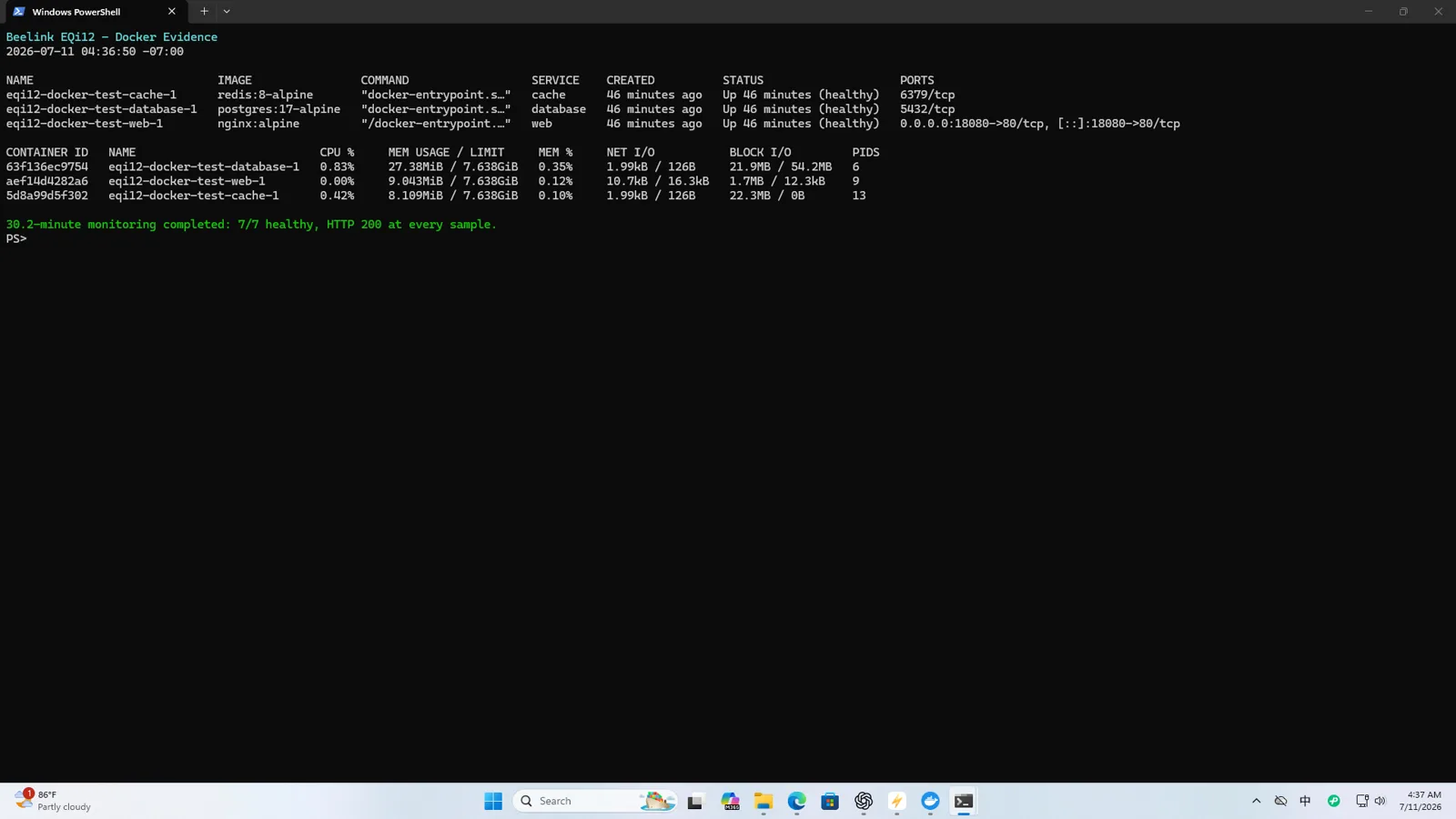
Build a layered boot record
After reboot, record timestamps for these milestones:
| Layer | Verification |
|---|---|
| Windows | Login screen or remote management reachable |
| WSL2 | wsl --status and distribution available |
| Docker engine | docker info succeeds |
| Compose project | docker compose ps lists expected services |
| Container health | Required containers are healthy |
| Application | HTTP or protocol-level check succeeds |
| Data | Known persistent marker is present |
Run the checks from an elevated PowerShell window when diagnosing. Preserve command output rather than relying on memory.
Check Docker Desktop’s session dependency
Docker Desktop on Windows is a desktop application. Depending on configuration, its automatic start may depend on a user login. That is different from a native Windows service designed to be available before sign-in. Confirm Start Docker Desktop when you sign in and determine whether your intended unattended workflow includes an automatic or manual login.
If the machine must provide services before any interactive login, document that Docker Desktop may not meet that requirement. Consider a Linux host or another service-oriented deployment instead of obscuring the limitation with Task Scheduler tricks.
Verify Compose restart behavior
Compose services need a restart policy appropriate to the workload. unless-stopped is common for home-server applications, while always has different behavior after manual stops. A restart policy does not create a missing Compose project and does not repair an invalid bind mount.
Use docker compose ps -a and inspect:
- Expected service names are present.
- State is running rather than exited or created.
- Health is healthy where a health check exists.
- Restart counters are not climbing.
- Published ports match the configuration.
Then inspect docker compose logs --since for the failed boot window. The first error is usually more useful than hundreds of retries.
Separate “running” from “ready”
A process can be running while its database migration, index scan or dependency connection is incomplete. Add meaningful health checks that test the service itself. For a web service, check a local HTTP endpoint. For PostgreSQL, use readiness logic such as pg_isready. For Redis, use a protocol-level PING where appropriate.
Do not make one container’s health check depend on a public internet service. Your home server should be able to prove local readiness when the WAN is down.
Verify persistent data
Create a harmless marker in each stateful application before the reboot. After recovery, verify the same marker through the application or database, not just by checking that a volume directory exists.
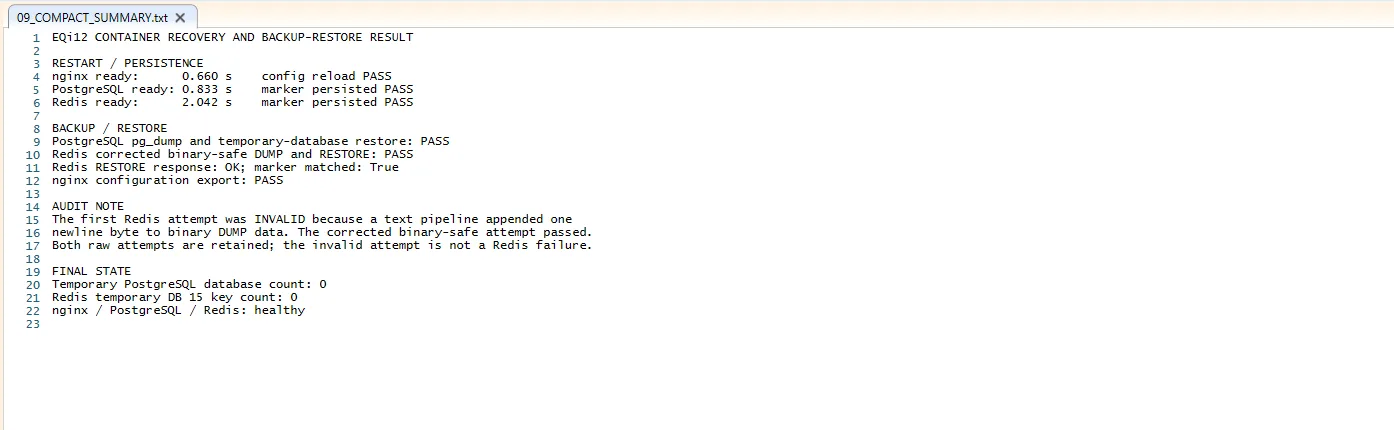
Our EQi12 recovery work verified an Nginx configuration reload, a PostgreSQL marker across backup/restore, and a binary-safe Redis restore. An early Redis text-pipeline attempt appended a newline and was rejected; the corrected binary-safe procedure passed. The failed attempt is important because it shows why “backup file exists” is weaker than “restored application data verified.”
A reliable correction sequence
- Make Windows and WSL2 state observable.
- Confirm Docker engine availability without opening the GUI manually.
- Correct Compose paths, environment files and restart policies.
- Add local health checks.
- Add an application endpoint check from another LAN device.
- Reboot three times using the same procedure.
- Confirm restart counters remain stable and data markers survive.
Do not declare success after one reboot. Three consecutive cycles are a reasonable configuration check; longer monitoring is still needed for reliability claims.
Know when Windows is the wrong host
Docker Desktop can be useful for a Windows-centered home server, especially when the same device also runs Windows-only software. It is not identical to Docker Engine on a Linux server. If services must start before login, survive desktop updates without intervention and integrate with native service supervision, a Linux deployment may be the cleaner design.
For the verified setup path, read Docker Desktop auto-start for a Windows home server, the 12.57-hour stability test and the Docker workload benchmark.
Docker references
Restart policies and dependency ordering solve different problems. A restart policy controls what happens after the engine is available; readiness checks prevent a dependent service from treating a merely running dependency as usable.