
Why restart policy is not enough
A Compose restart policy controls what Docker does after the Docker engine is available. It does not guarantee that Windows starts Docker Desktop, that the WSL2 backend becomes ready, or that the application is healthy.
Our EQi12 stack used nginx, PostgreSQL, Redis and Jellyfin. Three reboot cycles passed after the full startup chain was configured and checked. The completion standard was healthy services, not merely a Docker Desktop tray icon.
Architecture boundary: Docker Desktop normally depends on a signed-in Windows user session. If services must recover before login, use a supported service architecture or native Linux rather than storing credentials for automatic sign-in.
Layer 1: Windows and WSL2
Update Windows, then confirm WSL is available from an administrator PowerShell window:
wsl --status
wsl --version
wsl --list --verbose
Record the Windows build and WSL version. If WSL reports no installed distribution or an update error, solve that before changing Compose.
Docker Desktop normally starts in the user session. If the machine must serve applications before anyone signs in, Docker Desktop may be the wrong architecture; use a supported Windows service design or a native Linux host instead of enabling insecure automatic sign-in.
Layer 2: Docker Desktop startup
In Docker Desktop settings, enable starting Docker Desktop when the user signs in. Keep the intended WSL2 engine setting consistent with the tested environment.
After a reboot, allow enough time for Windows, WSL2 and Docker to initialize. On the EQi12 we checked application health after the platform was ready rather than declaring failure the moment the desktop appeared.
Layer 3: Compose restart policies
Use an explicit restart policy for long-running services. A typical service entry contains:
restart: unless-stoppedDo not apply it blindly to one-shot migration, backup or maintenance containers. Those may need to run once and exit.
After editing the Compose file, recreate the intended services and inspect the policy:
docker compose up -d
docker inspect --format "{{.Name}} {{.HostConfig.RestartPolicy.Name}}" CONTAINER_NAME
Replace CONTAINER_NAME with the actual container. Avoid copying private paths or passwords into screenshots.
Layer 4: Health checks
A running process can still be unusable. Add service-appropriate checks:
- nginx: request a known local URL and require HTTP 200;
- PostgreSQL: use pg_isready and a simple query;
- Redis: use PING and verify a marker when persistence matters;
- Jellyfin: check the local health endpoint and application page.
Use Docker state as one input, not the only input:
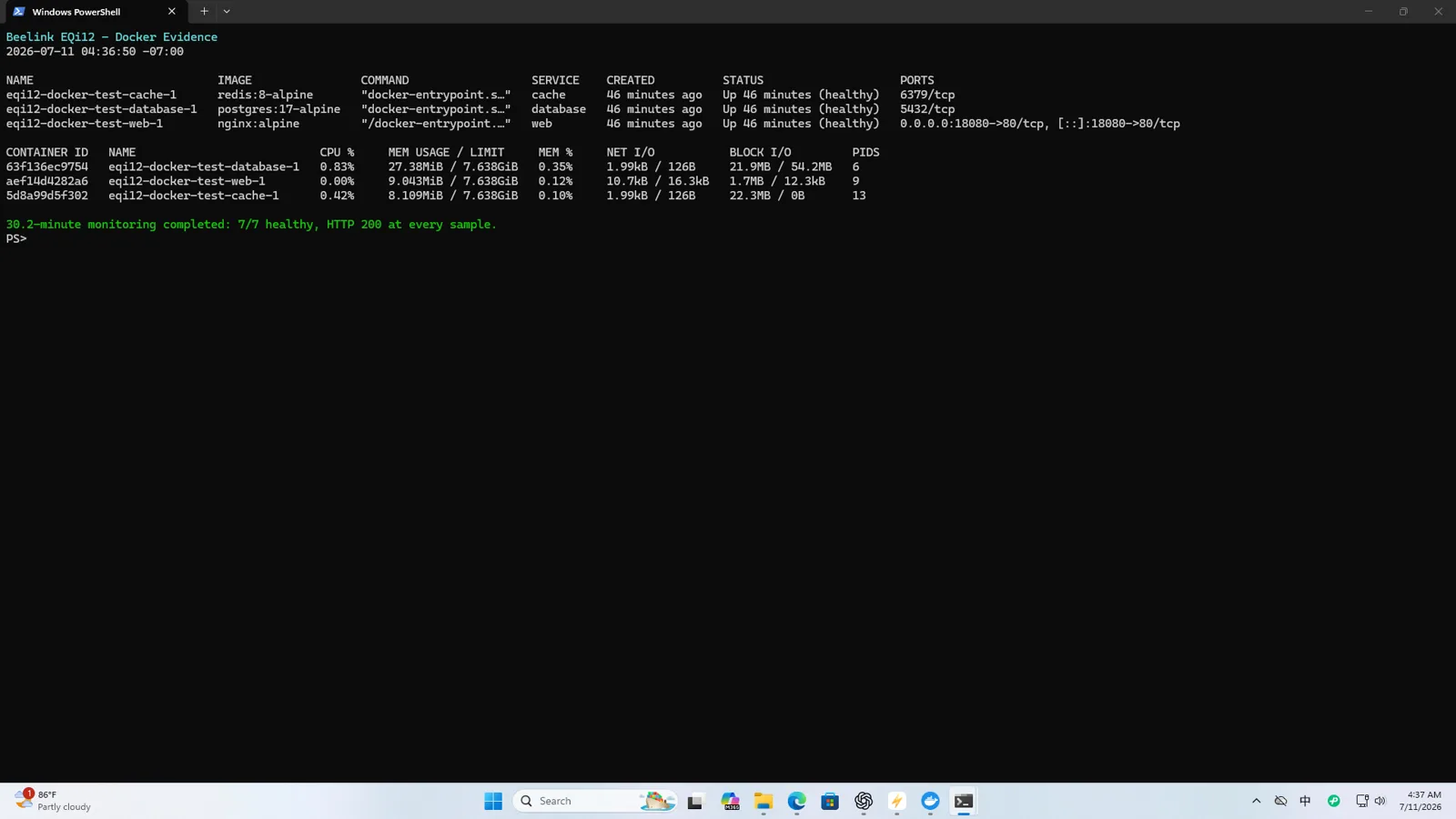
docker ps --format "table {{.Names}} {{.Status}} {{.Ports}}"A Compose health check should test the local service, not a public website. For example, an HTTP service can use a local endpoint that returns failure when its own dependencies are unavailable. Set a realistic start_period for initialization; do not hide a permanently broken service behind endless retries.
Make dependencies explicit
depends_on controls creation order, but readiness requires health-aware conditions or application retry logic. Databases often accept connections after the container process has already started. Design the application to retry safely and preserve clear logs instead of assuming a fixed ten-second delay works on every reboot.
The three-cycle test
For each cycle:
- Save the start time.
- Restart Windows normally.
- Confirm the network is available.
- Confirm WSL2 and Docker are ready.
- Confirm every required container is running.
- Confirm application-level health.
- Record the time each layer became usable.
- Save the result before starting the next cycle.
Three of three cycles passed in our final configuration. The separate 12.57-hour run recorded zero HTTP failures, zero health/running failures and zero container restarts across 150 samples.
Record a timestamp for each layer so a slow boot is diagnosable:
| Layer | Completion evidence |
|---|---|
| Windows | Event log / interactive readiness |
| WSL2 | wsl --status and distribution state |
| Docker engine | docker info succeeds |
| Compose project | Required containers present |
| Application | Local health request or database query passes |
The slowest required application defines server-ready time.
If a service does not return
Determine the failed layer:
- Docker Desktop absent: Windows/user-session startup issue;
- Docker engine unavailable: WSL2 or backend issue;
- container exited: inspect status, exit code and logs;
- container running but unhealthy: inspect dependency order and application logs;
- application healthy locally but unreachable remotely: inspect Windows firewall, bind address and network profile.
Do not “fix” the problem by adding longer arbitrary delays until you know which layer is late.
Data recovery is separate
Auto-start does not prove backup recovery. Our PostgreSQL pg_dump restore and corrected binary-safe Redis restore were tested separately. The first Redis attempt failed because a text pipeline changed binary data; the corrected path passed.
Read the Docker Compose starter stack tutorial for the complete deployment workflow, the Docker benchmark for performance, and the 12.57-hour stability report for monitored operation. If containers fail to start after a reboot, see the Docker containers not starting fix.
Re-test after updates
Repeat the three-cycle sequence after major Windows, WSL, Docker Desktop or application upgrades. Keep Compose files, environment-variable names and backup procedures under version control, but keep secrets out of the repository and screenshots. Docker’s official documentation for starting containers automatically explains restart policies; it does not replace the Windows and application layers tested here.