
Multi-year cost comparator
NAS vs Mini PC Running Cost Comparator
Compare what a mini PC, a NAS, a desktop and a tower server really cost to run over several years, using measured wall-power draw instead of TDP or marketing numbers.
What this tool answers
The form-factor decision for a home server is usually argued on purchase price and settled on running cost. Those two numbers move in opposite directions: a pre-built NAS costs more up front and includes bays, RAID management and a supported software stack, while a mini PC costs less, draws less power, and leaves you assembling the storage and backup story yourself.
This comparator takes an idle wattage and a load wattage for two devices, weights them by how many hours a day you actually run workloads, and reports the annual kilowatt-hours, the annual electricity cost and the multi-year total once hardware is included. It also tells you the break-even year, which is the number that usually ends the argument.
The measured basis
| Device | Idle | Load | Basis |
|---|---|---|---|
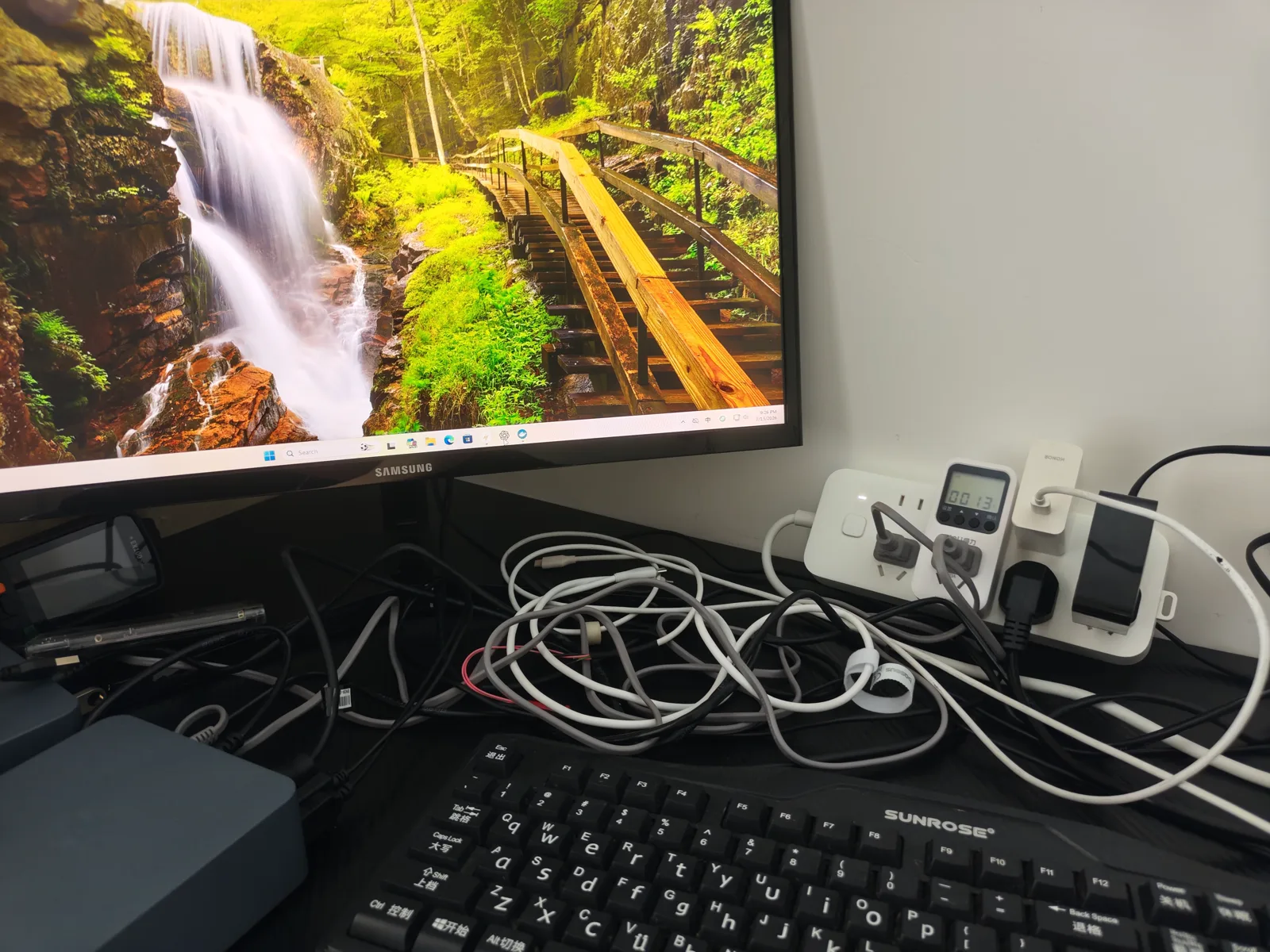
| Mini PC, Beelink EQi12 | 12W (Docker stack) / 14W (Windows idle) | 37W sustained CPU, ~13W QSV transcode | Measured at the wall on our unit |
| Mini PC, typical i3 class | 10–15W | 30–45W | Typical published range |
| 2-bay NAS, ARM | 15–25W | 30–50W | Typical published range |
| 4-bay NAS, x86 | 30–50W | 60–100W | Typical published range |
| Desktop, i5/i7 | 60–100W | 150–250W | Typical published range |
| Tower server, Xeon | 100–200W | 200–400W | Typical published range |
Only the first row is our own measurement. The EQi12 figures come from wall-meter readings published in our eqi12-measurement-data repository and in the measured power consumption lab. Everything else is a typical range assembled from published specifications, which is why the tool lets you overwrite both numbers with a reading from your own meter.
How the numbers are computed
avg watts  = (idle x (24 - load hours) + load x load hours) / 24
annual kWh = avg watts x 8760 / 1000
annual cost = annual kWh x rate
total cost  = purchase price + (annual cost x years)

break-even  = (priceB - priceA) / (annualCostA - annualCostB)
              only when the pricier device is the cheaper one to run
Weighting matters more than it looks. A server that idles 22 hours a day is an idle-power decision, not a load-power decision: at 4 load hours per day, each watt of idle costs roughly five times what a watt of load does. If your machine genuinely runs transcodes or backups around the clock, raise the load hours and the ranking can change.
Worked example
A Beelink EQi12 at 12W idle and 37W load, against a 4-bay x86 NAS at 40W idle and 80W load, with 4 load hours a day at $0.16/kWh. The mini PC averages about 16.2W and consumes roughly 142 kWh a year, costing about $23. The NAS averages about 46.7W, consumes roughly 409 kWh a year, and costs about $65. Over three years that is a difference of about $128 in electricity alone, and it runs the wrong way for the NAS: it costs more to buy and more to run. On pure cost there is no break-even point to compute. That is not an argument against a NAS — you buy it for bays, hot-swap, RAID management and a supported software stack — but it does mean you should not buy one expecting it to pay for itself on power.
A break-even story does exist when the cheap option is the thirsty one. Take a used desktop at 80W idle and 200W load costing $120, against a mini PC at 12W and 37W costing $380, again at $0.16/kWh and 4 load hours. The desktop draws 100W average and 876 kWh a year for about $140; the mini PC draws about 16W average and 142 kWh for about $23. The mini PC's $260 premium is repaid by the $117 annual saving in roughly 2.2 years. Raise the rate to $0.35/kWh and the same hardware repays in about 1.0 year. That sensitivity is the point: the answer depends on your electricity price and your workload profile, not on which box is objectively better.
Assumptions and limitations
- Only the EQi12 numbers are measured on our hardware. Every other preset is a typical range from published specifications — treat it as a starting point and replace it with a meter reading.
- The model uses two power states. Real servers spend time in between, and tasks like disk spin-up, scrubs, backups and nightly transcodes create peaks that a two-state average smooths away.
- Purchase price defaults to 0 on purpose. We do not track retail pricing, and a comparison that mixes guessed hardware prices with measured power draw is worse than one that reports power honestly.
- Drives, UPS capacity, replacement fans and cooling are not included. A fully populated 4-bay NAS draws noticeably more than an empty one, and each spinning disk adds a few watts at idle.
- This compares running cost only. Bays, hot-swap, RAID management, vendor support, noise, and whether you want to administer the box at all are real costs that do not appear on an electricity bill.
Frequently asked questions
Is a mini PC cheaper to run than a NAS?
On power, usually yes. Our EQi12 measured 12W with a Docker stack idle, against a typical 30–50W idle for a 4-bay x86 NAS. The gap narrows for ARM 2-bay units, which can idle close to a mini PC while still giving you bays and a managed RAID stack.
How much does electricity really matter over three years?
Less than people expect at low rates and more than they expect at high ones. At $0.16/kWh, a 30W difference costs about $42 a year, or $126 over three years. At $0.40/kWh the same difference is about $315 over three years, which can exceed the price of the hardware.
Why not just use TDP from the spec sheet?
TDP describes the processor in isolation. It excludes memory, storage, network controllers, USB devices and the conversion loss in the power supply. The number on your bill is measured at the wall, so that is the number to model.
Does an idle home server really cost that little?
A mini PC idling at 12W uses about 105 kWh a year. At $0.16/kWh that is under $20 annually, which is why wake-on-demand schedules save far less money than most people assume. Compare that against the reliability cost of a machine that sometimes fails to wake, described in our S5 wake source guide.
How do I measure my own server?
Put a wall power meter between the outlet and the machine, read it at idle with your normal services running, then read it again during a real workload such as a transcode or a backup. Enter both numbers as a custom device. The power cost guide walks through the method in full.