
Why a mini PC is the default home-server box now
A home server runs every hour of every day. Over a year that turns a small wattage difference into a real electricity bill and a real heat load in the room. The old advice — “repurpose an old desktop” — still works, but a modern mini PC with a 15W-class mobile processor does the same job at a fraction of the power, with no spinning fans you can hear across the room.
This guide is written from measured data, not spec sheets. The numbers below come from a wall power meter on a Beelink EQi12 (Intel Core i3-1215U, 16GB DDR4, 512GB NVMe) running Windows 11 with Docker, Jellyfin, PostgreSQL and Redis. Use it as a decision framework you can apply to any mini PC you are considering. After the purchase, the Windows mini PC home server roadmap takes over: firmware, services, stability proof, remote wake and backups, in the order that avoids the expensive mistakes.
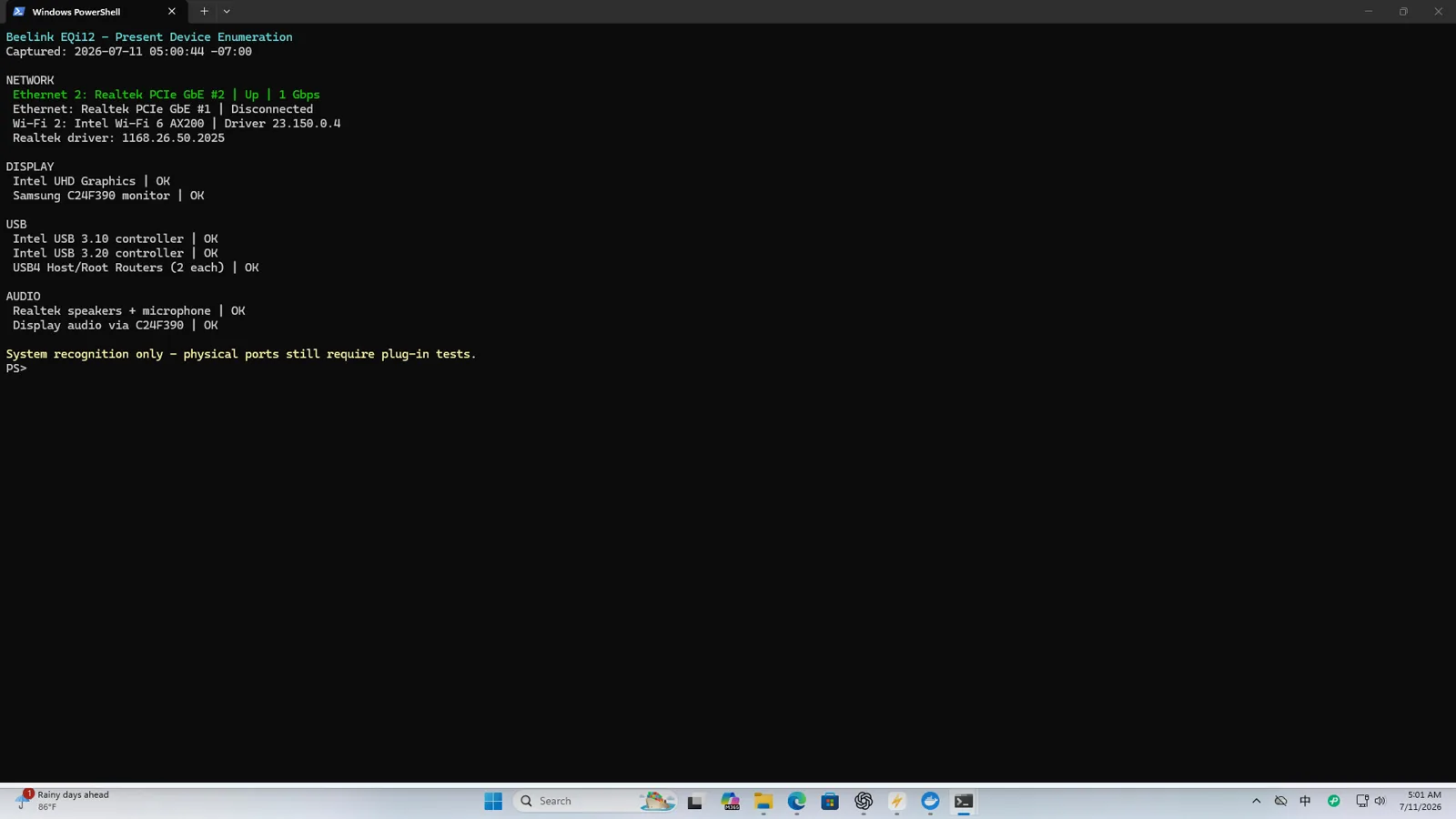
The decision framework
Pick the smallest box that meets your workload, then pay attention to the four things spec tables hide: sustained power, real network speed, storage path behavior, and whether the box comes back after a power cut.
1. CPU: core count is the wrong filter
For a home server, idle efficiency and transcoding support beat peak core count. A 15W-class mobile chip (Intel Core i3-1215U, N100, or equivalent) handles file sharing, Home Assistant, a small Docker stack and one or two media transcodes comfortably. Our i3-1215U ran nginx, PostgreSQL, Redis and Jellyfin with zero HTTP or container-health failures over 150 samples in a 12.57-hour monitored window.
Transcoding rule: if you will run Jellyfin or Plex, prefer Intel with Quick Sync Video. Our unit transcoded two 4K60-to-1080p60 streams in real time at about 13W — almost the same as idle. Four simultaneous jobs fell to about 0.71x real time, so plan for one or two streams, not four.
2. Memory: 16GB is the floor for a Docker host
Plan for the services, not the OS. A Docker host with PostgreSQL, Redis, Jellyfin and a reverse proxy comfortably uses 8-12GB under normal load. 16GB (2 x 8GB) is the practical minimum; 32GB lets you add a second database or a lightweight VM without swapping. Our 16GB unit never dropped below 5,472MB free during monitoring.
3. Storage: one fast internal drive, plus a verified backup path
A single NVMe SSD is enough to start. The tested WD SN540 completed a 50GiB write/readback with matching SHA-256 hashes, which is adequate for services and staging data. The trap is external storage speed: three of the four USB-A paths on the tested unit reached ~301MiB/s write / 432MiB/s read, while one rear path repeatably stayed near 39-43MiB/s. Test and label the exact port you use for backups — a silent drop to USB 2.0-class speed lengthens every backup window.
For larger libraries, see the ZFS RAID storage planning guide and the media storage calculator.
4. Network: count the ports, then measure them
Two physical Ethernet ports sound like a win until you realize both may be 1GbE and one may be slower in practice. The tested unit’s two Realtek gigabit ports both reached 891-941Mbps in controlled tests and 102.95-107.15MiB/s on SMB large-file transfers — matching Beelink’s dual-1000M specification. Wired Ethernet beats Wi-Fi for a server: predictable latency, reliable Wake-on-LAN, and no radio variation during backups. See the wired vs Wi-Fi 6 report.
5. Power: the number that decides your annual cost
This is the part spec sheets get wrong most often. TDP describes the processor, not the wall plug. Our complete-system wall readings:
| State | Wall power |
|---|---|
| Windows idle | 14W |
| Docker services idle | 12W |
| Sustained CPU load | 37W |
| Jellyfin QSV transcoding | 13W |
| S3 sleep | 1W |
| Shutdown | 1W |
At $0.16/kWh, the Docker-idle baseline costs about $20/year. A desktop server in the same role costs $104-168/year. Run your own numbers with the home server power cost calculator and the full seven-state power report.
Mini PC vs the alternatives
| Option | Best for | Idle power | Annual cost@$0.16 | Flexibility |
|---|---|---|---|---|
| Mini PC (i3-class) | App host + light media | 10-15W | $18-26 | High (Docker, VMs) |
| 2-bay NAS (ARM) | Bulk storage, easy UX | 15-25W | $26-37 | Low (fixed apps) |
| 4-bay NAS (x86) | Many drives, containers | 30-50W | $53-80 | Medium |
| Old desktop | Free, already owned | 60-100W | $104-168 | Medium |
| Old laptop | Free, has battery | 15-40W | $25-65 | Low |
The mini PC wins for a flexible, low-power app host. A NAS wins when storage management and quiet multi-drive operation matter more than running arbitrary containers. Many home labs run both: a mini PC for apps, a NAS for bulk storage.
Recovery: the feature most buying guides skip
A home server is only “unattended” if it returns after a restart, a shutdown Wake-on-LAN packet, and a lost AC supply. On the tested unit:
- Normal restart recovery: 5/5
- Shutdown Wake-on-LAN: 5/5
- Automatic boot after restored AC power: 3/3
- S3 sleep Wake-on-LAN: 4/5 (less reliable — prefer shutdown WOL)
Set the BIOS “State After G3” to S0 so the machine boots when power returns, disable Fast Startup, and enable magic-packet wake on the correct adapter. The complete path is in the Windows home-server build guide and the shutdown-WOL vs sleep-WOL fix.
A starter stack that fits a mini PC
You do not need a cluster to be useful. A single Docker Compose file can run nginx (reverse proxy), PostgreSQL (app data), Redis (cache), and Jellyfin (media) on a 15W box. The tested stack stayed healthy through a full monitored window; the Docker Compose starter stack walks through it, and the Jellyfin setup guide covers hardware transcoding.
Who should buy a mini PC home server
- You, if: you want file sharing, Home Assistant, a small Docker stack, or one-to-two-stream media transcoding at low power and low noise.
- Not you, if: you need many concurrent 4K transcodes, heavy virtualization, or more than a few drives — step up to a 4-bay NAS or a proper tower server.
Our tested unit is documented end to end in the EQi12 evidence hub: review, network, storage, build, lab reports and fixes in one place.
Bottom line
Buy the smallest 15W-class mini PC with 16GB RAM, one fast NVMe, and Intel Quick Sync if you transcode. Measure its real idle and load power at the wall, label the fast USB backup port, and confirm it recovers after a power cut before you trust it unattended. The hardware is cheap; the annual electricity and the peace of mind are what the decision should optimize.